Browse Admin Console
- Dashboard overview
- Insights overview
- Sites Overview - Network Deployments
- Policies Overview - Create and Edit
- Custom Lists overview
- Clients Overview - Device Agents and Profiles
- Users Overview - Directory Users and Personas
- Organizations Overview - MSP Tenant Management
- Lookup Tool Overview
- Query Log Overview
- Settings Overview - Account Administration
- Help & Support Overview
- Signing In - Login, 2FA, and Password Reset
- Two-factor authentication (2FA)
- Add system users (role-based access)
- Check domain classification with the Lookup Tool
- Configurable objects and their associations
- Configure notifications
- Working with organizations (multi-tenant)
- Working with policies
- Content categories
- Security categories
- Application categories (Zero Trust app management)
- Working with allow and block lists
- Zero Trust TLD Filters
- Safe Search explained
- Safe Search supported search engines
- YouTube Restricted Mode explained
- Custom block pages
- Prevent DNS bypass
- Don't mix DNS providers
- Active Directory group policies
- Entra ID group policies
- Tracking individual users
Help & Support Overview
The portal's launcher for resources and downloads: system status, docs, tickets, resolver IPs and DoH stamp, root certificate, and Relay.
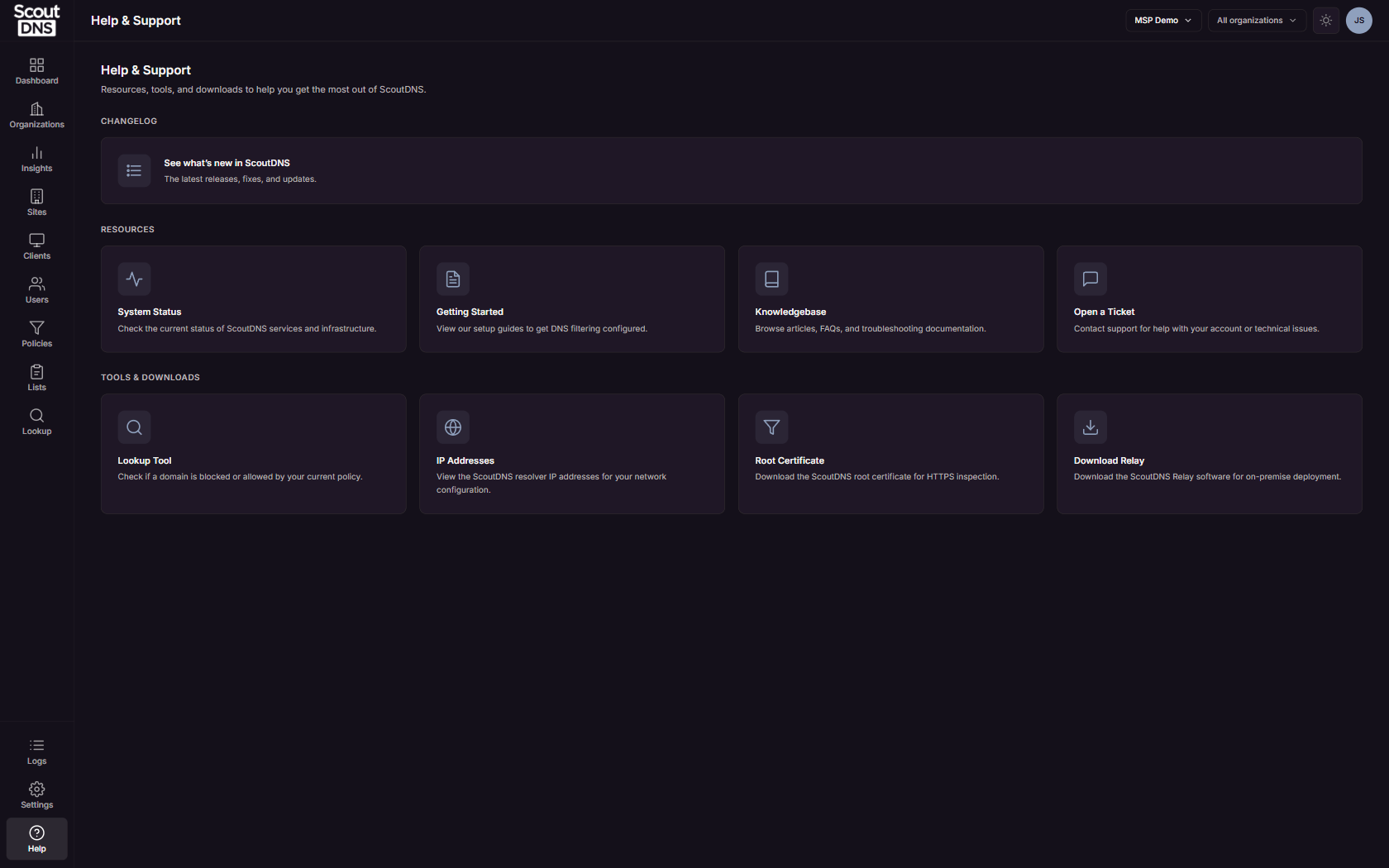
Help & Support, at the bottom of the sidebar, is the launcher for resources, tools, and downloads. It is available to every role.
What’s on the page
- A Changelog callout linking to what’s new in ScoutDNS.
- Resources (open in new tabs): System Status (live service status at status.scoutdns.com), Getting Started setup guides, the Knowledgebase you are reading now, and Open a Ticket for contacting support.
- Tools & Downloads: the Lookup Tool, plus three pages covered below. Each is directly linkable:
/help/ips,/help/certificate,/help/relay.
IP Addresses
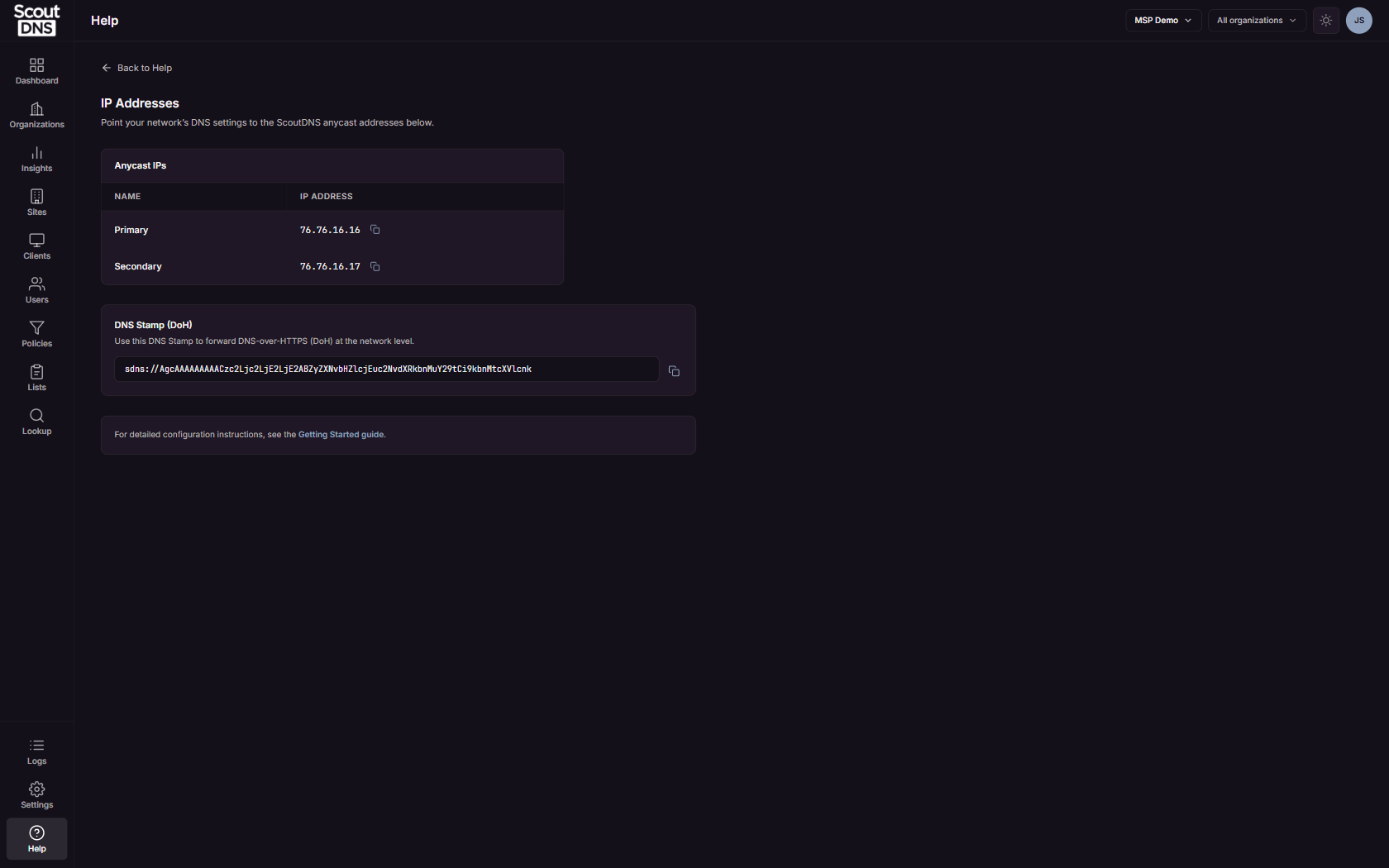
The IP Addresses page lists what you point your network’s DNS settings at:
| Name | IP Address |
|---|---|
| Primary | 76.76.16.16 |
| Secondary | 76.76.16.17 |
Both have copy buttons, and the page also provides a copyable DNS Stamp for forwarding DNS-over-HTTPS (DoH) at the network level.
Root Certificate
The Root Certificate page downloads the ScoutDNS root certificate, which enables HTTPS block pages and filtering.
[!NOTE] Devices running the ScoutDNS client app install the certificate automatically. Download it here only for devices without the client, for example to distribute via MDM or Group Policy, or to install manually. See Fixing browser HTTPS errors for the import walkthrough.
Download Relay
The Download Relay page carries the ScoutDNS Relay for on-premise deployment: platform binaries (a table of operating system, platform, and version downloads) and a container option (docker pull scoutdns/relay, with a Docker Hub link).
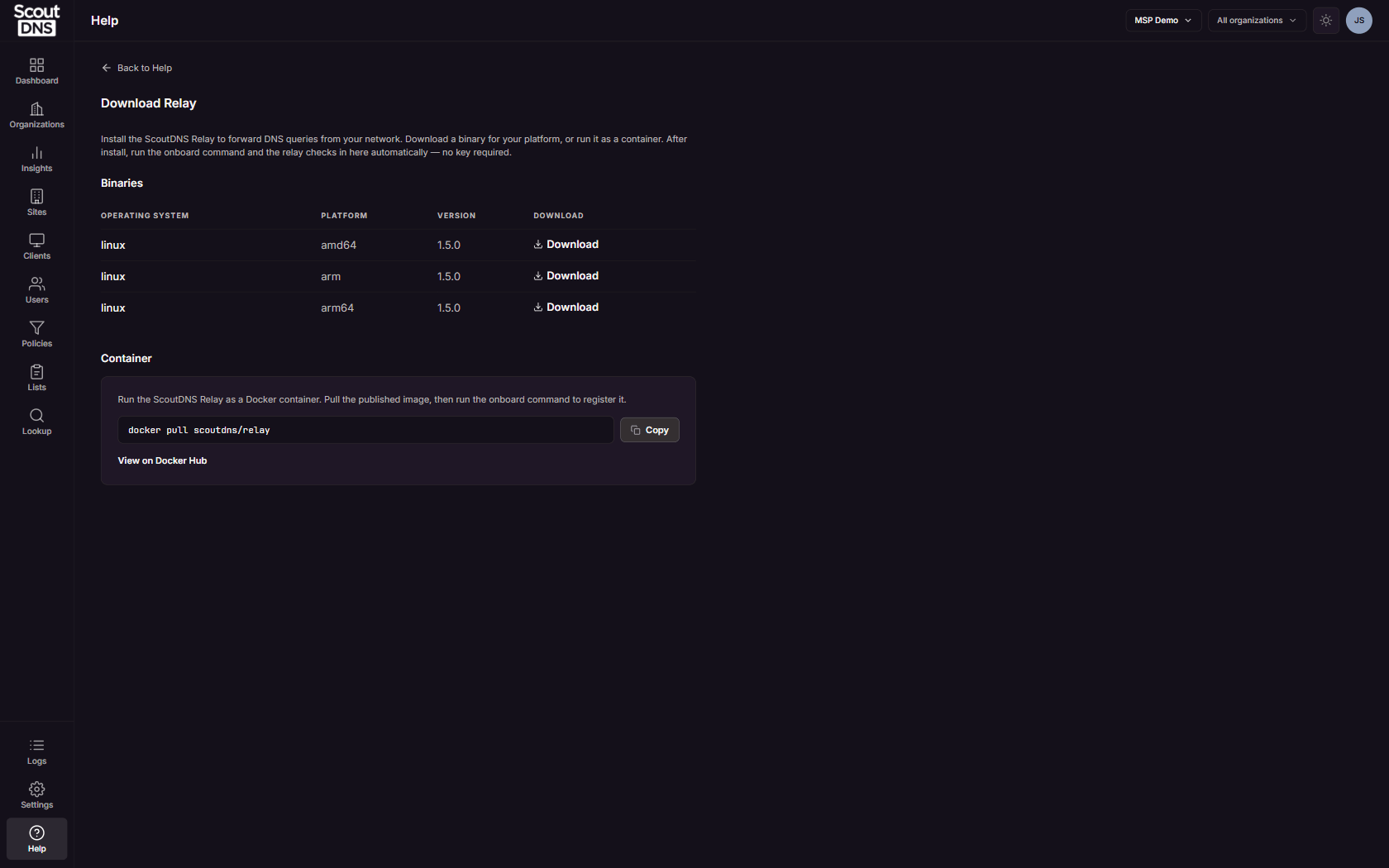
There is no install key. Install the relay, run the onboard command, and it checks in to the portal automatically. See Relay setup and configuration for the full deployment guide.
[!NOTE] The relay download is plan-gated. If your subscription does not include it, the page says so and points you at Sales.