 vs. Microsoft Defender
 Microsoft Defender Is Not a Replacement for Protective DNS
Microsoft Defender provides strong endpoint detection and web-connection protection for supported, onboarded devices. ScoutDNS controls the DNS path itself, blocking threats before a connection begins and extending protection to the networks and devices Defender cannot onboard.
Keep Microsoft Defender. Add the Protective DNS layer it does not provide.
The quick answer
No, Microsoft Defender for Endpoint Web Protection does not qualify as Protective DNS in the normal CISA and NIST sense. A Protective DNS service evaluates DNS queries at a recursive resolver and prevents malicious domains from resolving. Defender Web Protection uses SmartScreen in Edge and Network Protection in other browsers and processes, making decisions from URLs, IP addresses, and hostnames observed during connection setup. The device keeps using its existing DNS resolver.
Microsoft's Azure DNS Resolver Policy does filter DNS, but only for resources inside linked Azure virtual networks. Microsoft Defender for DNS monitors Azure DNS activity and raises alerts. Neither is a Protective DNS service for employee devices, branch offices, guest networks, or MSP-managed customers.
First, separate the Microsoft products
The word DNS appears across several Microsoft security products, and a search for "Microsoft Defender DNS filtering" can blend them together. Each one does a different job.
| Microsoft capability | What it does | General-purpose Protective DNS? |
|---|---|---|
| Microsoft Defender for Endpoint Web Protection | Uses SmartScreen and Network Protection to evaluate web destinations and connections on supported, onboarded endpoints | No |
| Microsoft Defender for DNS | Monitors queries from Azure resources using Azure-provided DNS and raises alerts on suspicious activity | No. Azure DNS threat monitoring, not a roaming protective resolver |
| Azure DNS Resolver Policy | Filters and logs DNS queries for resources inside linked Azure virtual networks, with allow, alert, and block actions | Protective DNS-style enforcement inside Azure VNets only; not an endpoint, office-network, or MSP service |
| Microsoft Defender for IoT | Discovers and monitors unmanaged and IoT devices, vulnerabilities, and risky behavior | No. Visibility and detection, not inline DNS filtering |
| Microsoft Entra Internet Access (part of Global Secure Access) | One of the Global Secure Access (GSA) traffic-forwarding channels. Routes selected internet traffic through Microsoft's Security Service Edge for web, threat-intelligence, TLS-inspection, and firewall policies | No. An SSE service that forwards network traffic, not a protective resolver |
CISA describes Protective DNS as a service that uses DNS query information and threat intelligence to prevent users from connecting to known or suspected malicious domains, and NIST treats the protective recursive resolver as a security control within the DNS architecture. In practice that means controlling or reliably enforcing the resolver path, evaluating each request, applying threat and acceptable-use policy, returning an appropriate response, and recording the decision for investigation. ScoutDNS is built around that DNS transaction. Defender Web Protection is built around endpoint and connection inspection.
Why organizations add ScoutDNS alongside Defender
Controls the DNS path itself
ScoutDNS evaluates the DNS request at the resolver and, on the Windows Client, enforces the approved resolver path. Defender leaves the device on whatever resolver it already had.
Blocks before the connection begins
When ScoutDNS blocks the DNS request, the application never gets an address to connect to. Outside Edge, Defender learns the hostname during the TLS handshake, after the TCP connection starts.
Covers devices Defender cannot onboard
Printers, cameras, phones, conference gear, guest laptops, and appliances get policy through the network DNS path. No endpoint agent required.
Not undone by QUIC, ECH, or connection coalescing
Microsoft's non-Edge hostname blocking requires QUIC and Encrypted Client Hello to be disabled. DNS policy does not read the TLS ClientHello, so those changes do not remove the decision.
Encrypted DNS bypass restricted on Windows
The ScoutDNS Windows Client restricts common unauthorized DoH, DoT, and DoQ paths while sending approved DNS to ScoutDNS over DoH. Defender does not establish a protective resolver path.
DNS evidence, policy levels, and MSP operations
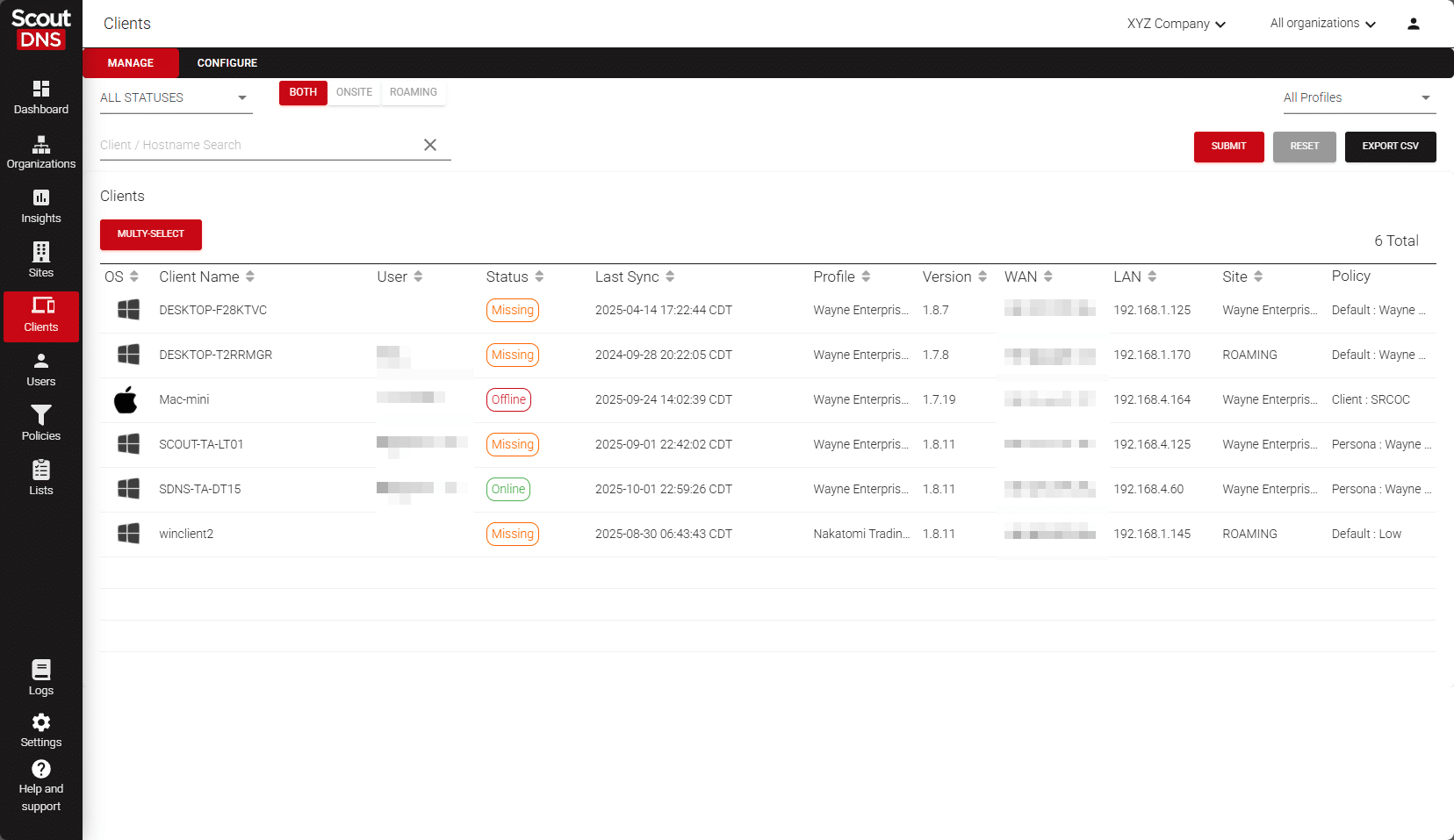
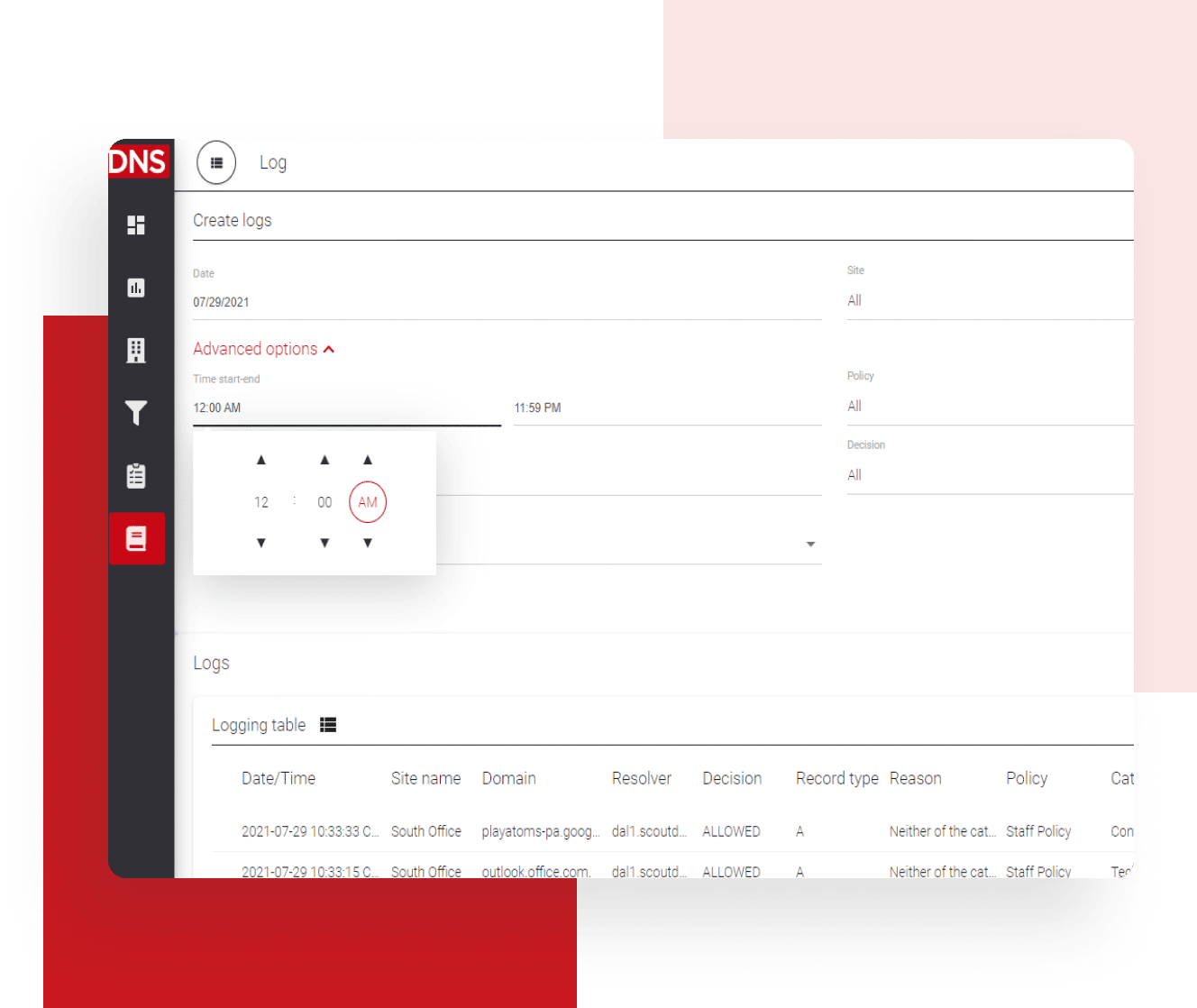
Searchable query logs with the full response, SIEM export with Network 360 and MSP plans, policies at the WAN, LAN, profile, device, persona, and organization level, and multi-tenant administration built for MSPs.
1. Defender protects the endpoint. ScoutDNS controls the DNS path.
Microsoft Defender Web Protection combines web threat protection, web content filtering, and custom IP and URL indicators. In Microsoft Edge, enforcement uses SmartScreen. In other browsers and processes, Microsoft relies on Network Protection, which for non-Edge HTTPS traffic determines the hostname by examining the TLS handshake after the TCP connection begins.
That is useful security coverage, and it is not DNS resolution control. Defender does not send the device's DNS requests to a Microsoft protective resolver, and it does not make DNS policy the common enforcement layer for every device on a network. ScoutDNS makes the DNS request the control point. If a requested domain violates threat or content policy, name resolution stops before the application reaches the destination.
2. Modern web encryption limits non-Edge hostname blocking
Microsoft documents several limits for non-Edge hostname enforcement. QUIC must be disabled because the inspection path expects TCP. Encrypted Client Hello must be disabled because Network Protection needs to read the hostname in the TLS ClientHello. Hostnames loaded through HTTP/2 connection coalescing, and full HTTPS URL paths, can only be blocked properly in Microsoft Edge.
These limits follow from the enforcement point. When a product learns the hostname from a web connection, changes that conceal or reuse connection metadata affect the policy decision. ScoutDNS decides whether a domain resolves without inspecting the TLS ClientHello, so QUIC, HTTP/2 coalescing, and ECH do not remove the decision when the device's DNS path is enforced. The trade runs both ways. DNS filtering does not inspect URL paths, and an application that talks only to a direct IP address may never create a DNS event. Defender's ability to block those connections is a genuine endpoint advantage.
3. Protection for the devices that cannot run Defender
Defender Web Protection requires a supported endpoint that is onboarded and running Microsoft's endpoint components. That leaves out much of a normal business network: printers and scanners, VoIP phones, cameras and access-control systems, smart TVs and conference-room equipment, embedded and industrial devices, guest and BYOD laptops, unsupported operating systems, and servers or appliances that were never onboarded.
ScoutDNS covers these devices through the network DNS path. Point a firewall, router, or DHCP scope at ScoutDNS, or adopt a cloud-managed on-premises relay, and every device that resolves through that network's DNS path receives Protective DNS with no client to install. For MSPs and small IT teams, the network becomes the deployment boundary. If a device uses the network's DNS, it can generally receive policy and threat protection.
4. Policy at every level, with the DNS evidence to match
Defender for Endpoint Plan 1 and Plan 2 can target web-content policies to Defender device groups. Defender for Business is more limited: Microsoft states that it supports one web-content policy applied to all users, without device scoping. Microsoft also states that new indicators can take up to two hours to reach a client, although enforcement is usually faster.
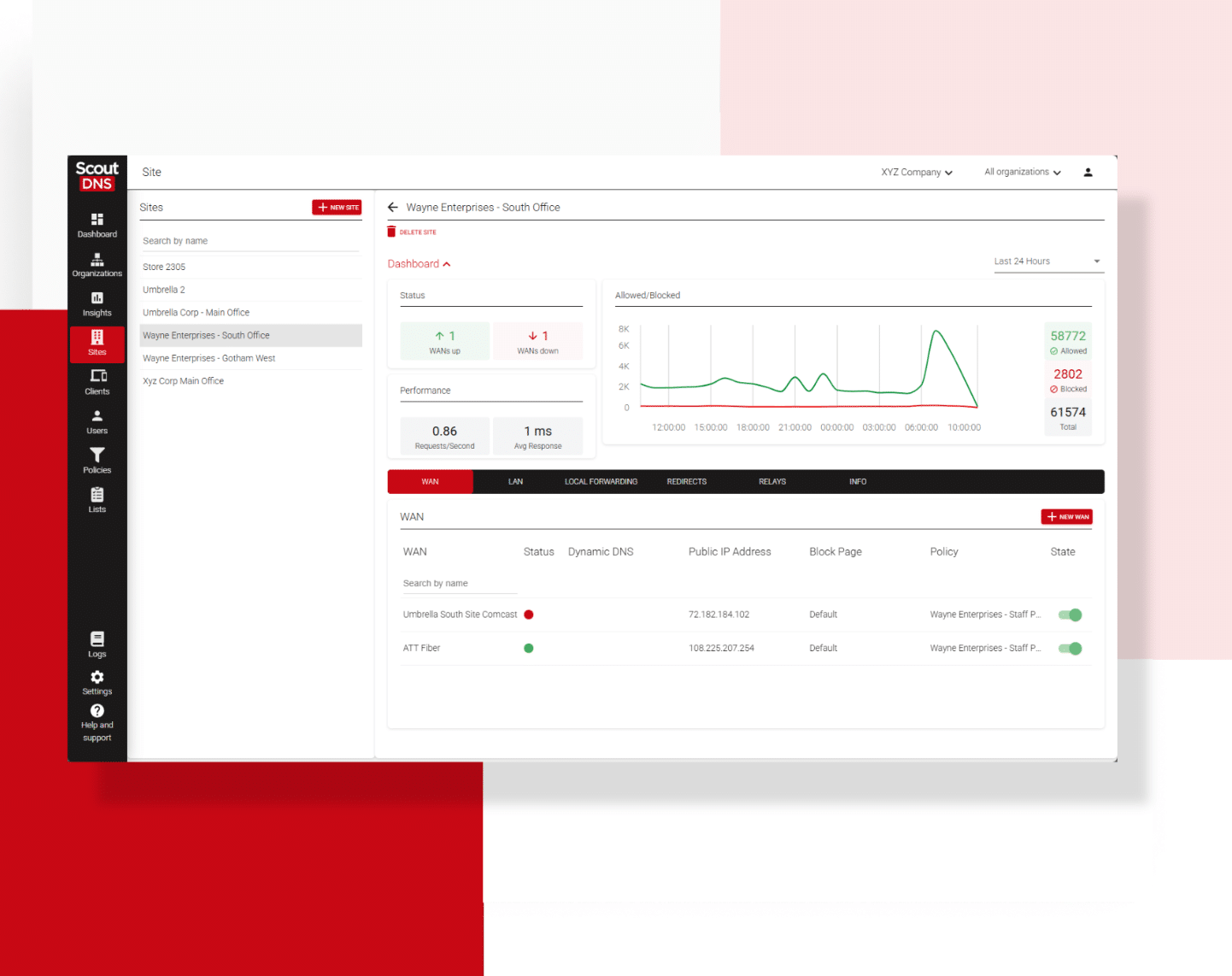
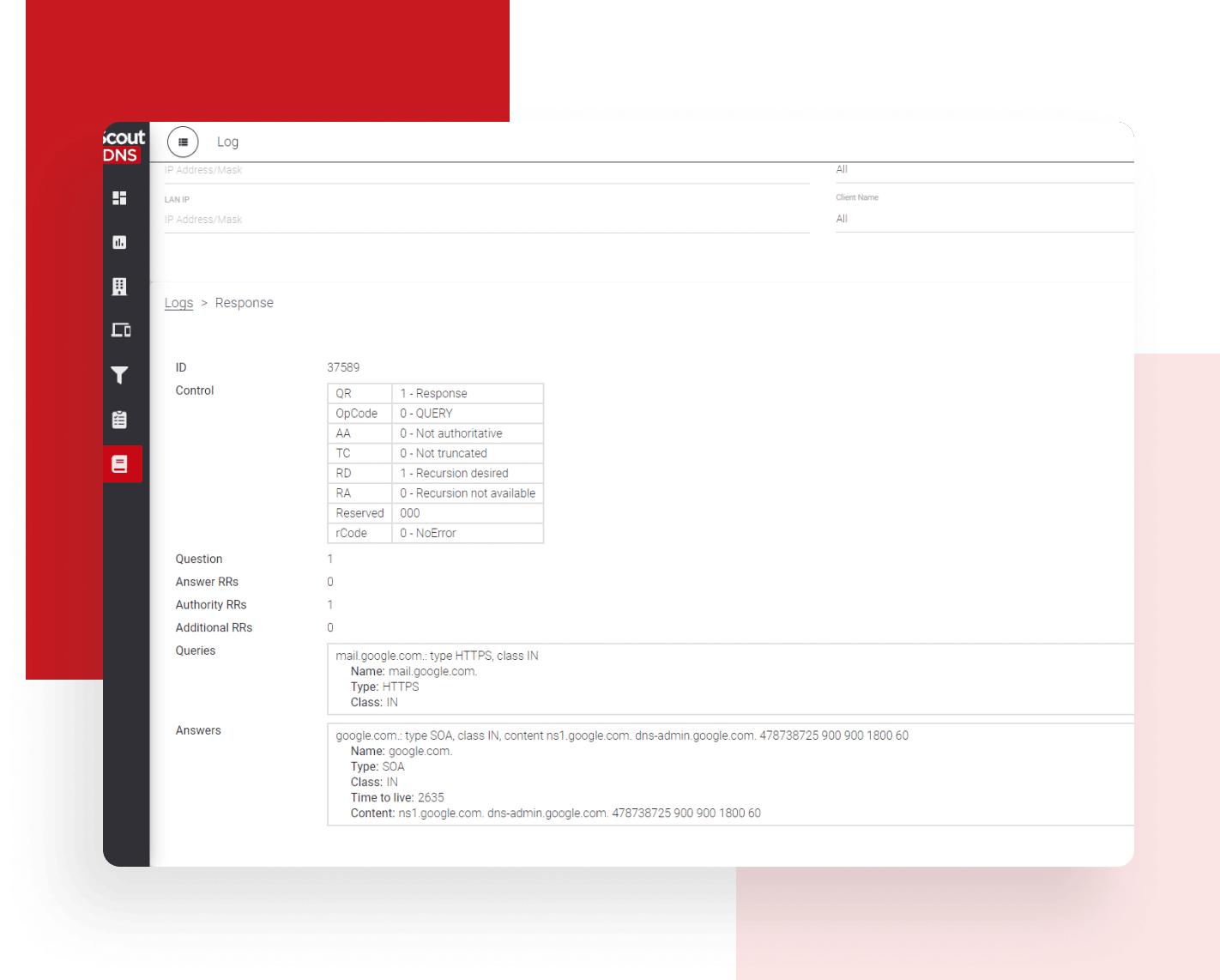
ScoutDNS policies attach to WANs, LANs, client profiles, individual devices, AD and Entra personas, and MSP organizations, so staff, guests, executives, public Wi-Fi, and customer tenants can each carry their own policy. A DNS-layer change does not wait for every endpoint to receive an indicator update. Every decision lands in a searchable query log with the full DNS response, and SIEM export is included with Network 360 and MSP plans.
Where Global Secure Access and Microsoft's other network options fit
Defender for IoT
Discovers unmanaged devices, identifies vulnerabilities, surfaces recommendations, and monitors behavior in the Defender portal. Valuable visibility, and not inline DNS filtering. Defender for IoT shows which unmanaged devices exist; ScoutDNS keeps them from resolving malicious or prohibited domains.
Entra Internet Access (GSA)
The Global Secure Access channel that routes internet traffic, from the GSA client on endpoints or from a branch router or firewall, to Microsoft's Security Service Edge for web-content, threat-intelligence, TLS-inspection, and cloud-firewall policies. It gives Microsoft a route to protect traffic from devices that do not run Defender, a broader undertaking than sending DNS to a protective resolver.
Azure DNS Resolver Policy
The closest Microsoft product to Protective DNS. It filters and logs DNS queries with allow, block, or alert actions and a Microsoft-managed threat feed, for resources inside linked Azure virtual networks in the same region. Useful for Azure workloads, with no roaming, office, relay, or MSP deployment model.
Where Global Secure Access fits
Microsoft Entra Global Secure Access (GSA) is Microsoft's Security Service Edge, delivered through the GSA client on endpoints and through remote-network connections from branch routers. It forwards traffic in three channels. Internet Access carries allowed internet and web traffic, Microsoft Access carries Microsoft traffic, and Private Access carries traffic to configured private applications and namespaces. All three are traffic-forwarding channels. Protective DNS is a different layer, and ScoutDNS runs alongside GSA. The ScoutDNS Windows Client is validated alongside GSA in both Private Access and full-tunnel configurations. See this KB article for details: Microsoft Entra Global Secure Access (GSA) with ScoutDNS.
GSA remote networks (Entra Internet Access) vs ScoutDNS network protection
| Deployment question | ScoutDNS WAN and LAN deployment | Microsoft Entra Internet Access |
|---|---|---|
| What is forwarded? | DNS requests to ScoutDNS | Selected or broad internet traffic to Microsoft's Security Service Edge |
| Site connectivity | Resolver configuration or a cloud-managed on-premises relay | Remote-network configuration and traffic forwarding |
| Policy without an endpoint client | Network and device policy with no client; directory identity where supported | Microsoft says non-client remote-network traffic uses the tenant-wide baseline profile |
| TLS inspection | Not required. DNS is decided before the connection | Available as a policy option |
| Primary category | Protective DNS | SSE/SWG and cloud firewall |
The Microsoft approach is more expansive and may suit enterprises that want a full SSE platform. ScoutDNS stays focused on Protective DNS for an entire site, without forwarding or decrypting general internet traffic.
ScoutDNS vs Microsoft Defender Web Protection at a glance
| Comparison factor | ScoutDNS | Microsoft Defender |
|---|---|---|
| Primary purpose | Dedicated DNS filtering and Protective DNS | Endpoint and web threat protection |
| Enforcement point | Protective resolver plus DNS-path enforcement on the endpoint | SmartScreen in Edge and Network Protection in other browsers and processes |
| Controls the recursive DNS path | Yes | No. The device keeps using its existing resolver |
| Blocks before the destination connection | Yes, when the DNS request is evaluated and blocked | Not necessarily. Outside Edge, hostname inspection happens during the TLS connection process |
| Managed roaming computers | Yes, through the ScoutDNS Windows and macOS roaming clients | Yes, on supported and onboarded endpoints |
| Office and branch networks | Yes, through WAN forwarding, LAN policy, router or firewall DNS, and cloud-managed on-premises relays | Not through Defender Web Protection alone |
| Printers, cameras, phones, and embedded devices | Protected through the network DNS path, with no client to install | Cannot normally run Defender for Endpoint |
| Guest and BYOD devices | Protected when connected to a ScoutDNS-protected network | Not protected unless onboarded or routed through another Microsoft product |
| Policy for non-browser DNS activity | DNS policy applies whenever an application makes an intercepted or network-routed DNS request | Web Content Filtering is web-focused and depends on supported endpoint inspection |
| Unauthorized encrypted DNS | Windows client restricts common unauthorized DoH, DoT, and DoQ paths while approved DNS travels to ScoutDNS over DoH | Does not establish an approved protective resolver path or enforce all DNS through one |
| Dependence on TLS hostname visibility | None. DNS policy does not read the TLS ClientHello | Yes, for non-Edge HTTPS hostname enforcement |
| QUIC and Encrypted Client Hello | Enforcement is not based on inspecting the TLS ClientHello | Microsoft says QUIC and Encrypted Client Hello must be disabled for non-Edge FQDN blocking |
| URL-path filtering | No. DNS policy works at the domain level | Supported in Edge; HTTP URL paths have broader process support |
| Direct-IP connection blocking | Outside normal DNS-layer scope | Supported through Network Protection and custom indicators |
| Policy organization | Policies attach to WANs, LANs, client profiles, individual devices, AD and Entra personas, and MSP organizations | Microsoft security and device-group model; Defender for Business permits one organization-wide web-content policy |
| DNS query visibility | DNS query, policy decision, full response, device, network, and identity context, plus SIEM export with Network 360 and MSP plans | Web protection events and destination activity, not a complete protective-resolver query record |
| MSP operations | Multi-tenant-first platform built for MSP administration | Microsoft tenant-oriented |
| Runs alongside Microsoft Entra Global Secure Access | Yes. The Windows Client is validated with GSA Private Access and full-tunnel configurations; with GSA Internet Access enabled, the ScoutDNS Block Page IPs go in the GSA Custom Bypass | Separate Microsoft product with its own client and policies |
| Microsoft ecosystem integration | Complements the Microsoft stack while adding dedicated DNS-layer control | Major strength through Defender XDR, Intune, Entra, Sentinel, and advanced hunting |
Last checked September 13, 2026. Sources: Web protection in Microsoft Defender for Endpoint, Web content filtering in Microsoft Defender for Business, Overview of Microsoft Defender for DNS, Azure DNS Resolver Policy, Enterprise IoT in the Microsoft Defender portal, Global Secure Access remote-network security policies, CISA Protective DNS fact sheet, NIST SP 800-81 Rev. 3 .
Comparison last reviewed September 13, 2026. Microsoft features and licensing vary by product and plan.
Where Microsoft Defender stands out
ScoutDNS is not an EDR replacement, and Defender's strengths are real:
- Microsoft platform integration: deep ties to Defender XDR, Microsoft Sentinel, Intune, Entra, and advanced hunting across endpoint activity.
- Process-level telemetry: files, processes, identities, vulnerabilities, and connections correlated into endpoint incidents, far beyond what DNS filtering can see.
- URL-path enforcement in Edge: full HTTPS URL paths can be blocked in Microsoft Edge, which domain-level DNS policy cannot provide.
- Direct-IP connection blocking: Network Protection and custom indicators can block connections to an IP address, including from applications that never make a DNS request.
- Beyond web protection: malware, behavior, vulnerability, and attack-surface capabilities that are outside the scope of any DNS service.
- Licensing already in hand: when Defender is included in an existing Microsoft subscription, its web protection features come at no added cost.
Which approach is right for you?
Choose ScoutDNS when:
- You need Protective DNS, not endpoint web filtering alone
- Office networks and devices that cannot run endpoint software need protection
- You want roaming Windows and macOS DNS protection with an approved encrypted DNS path
- You manage multiple customers, networks, or policy groups
- You need DNS-specific logs and investigation tools
- You want protection without routing all internet traffic through an SSE service
Rely on Defender Web Protection when:
- Your requirement is limited to supported, onboarded endpoints
- Deep Defender XDR integration matters more than controlling the recursive DNS path
- You need URL-path enforcement in Edge or direct-IP connection blocking
- Your existing Microsoft license and operating model already meet the endpoint web-control need
Use both when:
- You want defense in depth across DNS, connections, processes, files, and identities
- You need Defender endpoint telemetry plus ScoutDNS network protection for unmanaged devices
- You want DNS-layer visibility alongside Microsoft security incidents
- You need consistent Protective DNS outside the population of fully managed endpoints
Defender is strongest when it understands what is happening on a managed endpoint. ScoutDNS is strongest when it controls where that endpoint, application, or network device can resolve.
Frequently asked questions
Is Microsoft Defender a DNS filtering service?
Microsoft Defender for Endpoint Web Protection is not a DNS filtering service. It uses SmartScreen and Network Protection to evaluate URLs, IP addresses, and connections on supported endpoints, and it does not require DNS requests to use a Microsoft protective resolver. Microsoft does offer Azure DNS Resolver Policy, which filters DNS inside linked Azure virtual networks. Its scope is Azure VNet resources rather than business endpoints, office networks, or MSP customers.
Is Microsoft Defender for DNS Protective DNS?
Not in the general endpoint or network sense. Defender for DNS monitors DNS activity from Azure resources that use Azure-provided name resolution and alerts on suspicious behavior. It does not provide a roaming Protective DNS resolver for employee devices or a filtering service for ordinary business networks.
Can Microsoft Defender protect printers, cameras, and other headless devices?
Defender Web Protection cannot directly protect a device that cannot be onboarded and run the required endpoint components. Microsoft Defender for IoT can discover and monitor many unmanaged devices, but it is not inline DNS filtering. Microsoft Entra Internet Access can protect site traffic routed through its cloud service, which requires an SSE remote-network deployment. ScoutDNS protects these devices whenever they use a ScoutDNS-protected network DNS path.
Does Defender Web Protection cover applications other than browsers?
Yes. Network Protection can inspect and block connections from non-browser processes, including on ports beyond 80 and 443. The endpoint must be supported and onboarded, and hostname enforcement can depend on observable connection data. ScoutDNS applies policy to DNS requests across applications and does not require each network device to run Defender.
Why do QUIC and Encrypted Client Hello matter?
Microsoft says non-Edge FQDN blocking requires QUIC and Encrypted Client Hello to be disabled. Network Protection learns the hostname from the TLS ClientHello after a TCP connection begins, so QUIC or encryption of that hostname can prevent the expected inspection path. ScoutDNS makes the decision during DNS resolution and does not need to read the TLS ClientHello.
Can ScoutDNS and Microsoft Defender run together?
Yes. They protect different layers. ScoutDNS controls DNS resolution and extends protection to networks and unmanaged devices. Defender adds endpoint telemetry, file and process protection, direct-IP controls, advanced hunting, and Microsoft XDR correlation. If you also run Microsoft Entra Global Secure Access, see the next question.
Does ScoutDNS work with Microsoft Entra Global Secure Access?
Yes. The ScoutDNS Windows Client is validated alongside GSA in both Private Access and full-tunnel configurations. Private Access coexists automatically, and public DNS continues to resolve through ScoutDNS with policy enforced. See Microsoft Entra Global Secure Access (GSA) with ScoutDNS.
Does ScoutDNS inspect full URLs?
No. DNS filtering evaluates domains and DNS requests, not the path after the domain. Defender can enforce full HTTPS URL paths in Microsoft Edge. This is one reason the two products are complementary.
Does ScoutDNS require all internet traffic to be tunneled?
No. ScoutDNS network deployments send DNS to ScoutDNS rather than tunneling web and internet traffic through a Secure Web Gateway. The Windows Client enforces and encrypts the approved DNS path while normal application traffic continues directly to its destination.
Add the Protective DNS layer Microsoft Defender does not provide
Keep the endpoint security and Microsoft integrations you already use. ScoutDNS adds resolver-level enforcement, DNS visibility, and protection for the networks and devices that endpoint software cannot reach. Start a full-featured 14-day trial or talk through your environment with us.
About this comparison: based on a point-in-time review of publicly available vendor documentation, pricing pages, and product materials, last checked September 13, 2026. Product capabilities, packaging, and pricing change frequently, and Microsoft Defender may have updated its offering since our review. Nothing on this page is a claim about your specific quote or environment; verify current details with each vendor before making a purchasing decision. Microsoft Defender and related marks are trademarks of their respective owners. ScoutDNS is not affiliated with or endorsed by Microsoft Corporation. See something out of date? Let us know and we will review it.