 vs. Control D
 ScoutDNS vs Control D: Flexible DNS Controls or Purpose-Built Protective DNS?
Control D offers many ways to configure DNS across devices, routers, protocols, and use cases. ScoutDNS is built for organizations that need DNS to operate as a centrally managed security control, with identity-based policies, purpose-built Windows enforcement, complete DNS-response visibility, and MSP-ready operations.
The quick answer
Choose ScoutDNS when protective DNS is a security control your business or MSP operates: directory-driven policies, a purpose-built Windows enforcement client, full DNS-response evidence, included SIEM export, and tenant-level operations. Choose Control D when maximum DNS customization and the broadest device, router, and protocol coverage matter most.
What both platforms do well
Why organizations choose ScoutDNS
Purpose-built for business DNS security
Policy, deployment, investigation, and MSP operations are designed around protective DNS as an organizational security control, not adapted from a cross-device personal service.
Identity-based policies
Native AD and Entra ID group policies configured in-platform, no sync tools to install. Filtering follows directory membership, not the device.
Purpose-built Windows enforcement
System-level interception without adapter DNS or NRPT changes; normal public DNS encrypted on port 443 in healthy operation, common unauthorized encrypted-DNS paths restricted.
Full DNS-response visibility
See the answers, not just the requests: 30 days of searchable query logs with full RDATA and raw response inspection.
SIEM export included
Included with MSP and roaming-client plans. Retention lands under your own storage policy, including indefinitely.
One-action troubleshooting
Disable and re-enable an individual Windows client remotely from the Control Plane, a temporary client-level action the technician controls.
1. Let policy follow the person, not the device
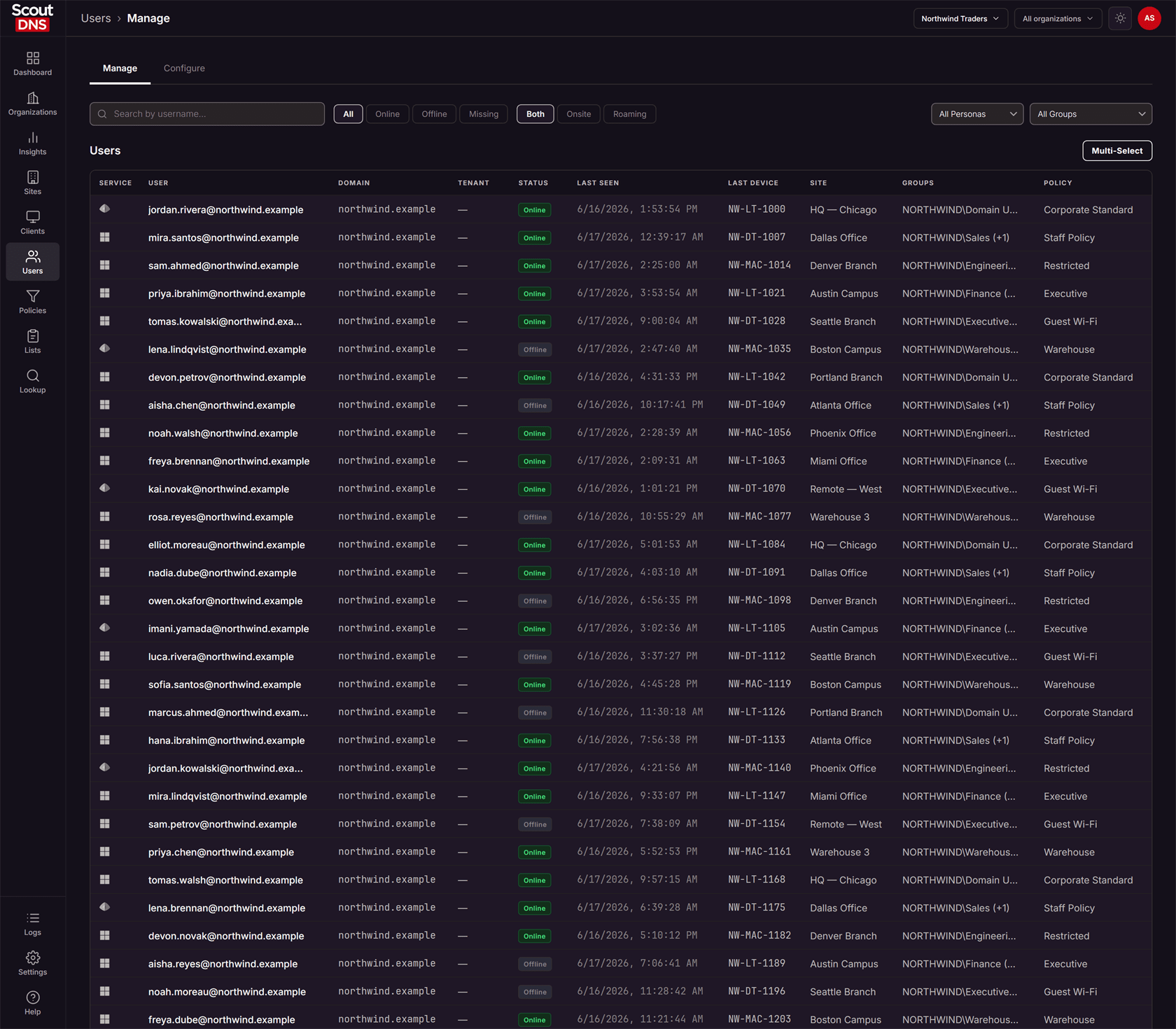
ScoutDNS applies filtering policy through native Active Directory and Entra ID group membership, configured inside the platform with no sync tools to install. A user's policy follows them across devices, and department-level differences are a matter of directory groups, not endpoint administration.
Control D's documented model assigns Profiles to endpoints and resolvers, layered up to three deep across device, sub-organization, and global levels. Entra integration is documented for portal sign-on and admin roles; as of August 8, 2026, the documentation we reviewed does not document an equivalent native mapping of directory groups to end-user filtering policies; it instead describes endpoint grouping, provisioning codes, MDM/RMM targeting, and API automation for per-department differences.
2. Windows enforcement as the intended architecture
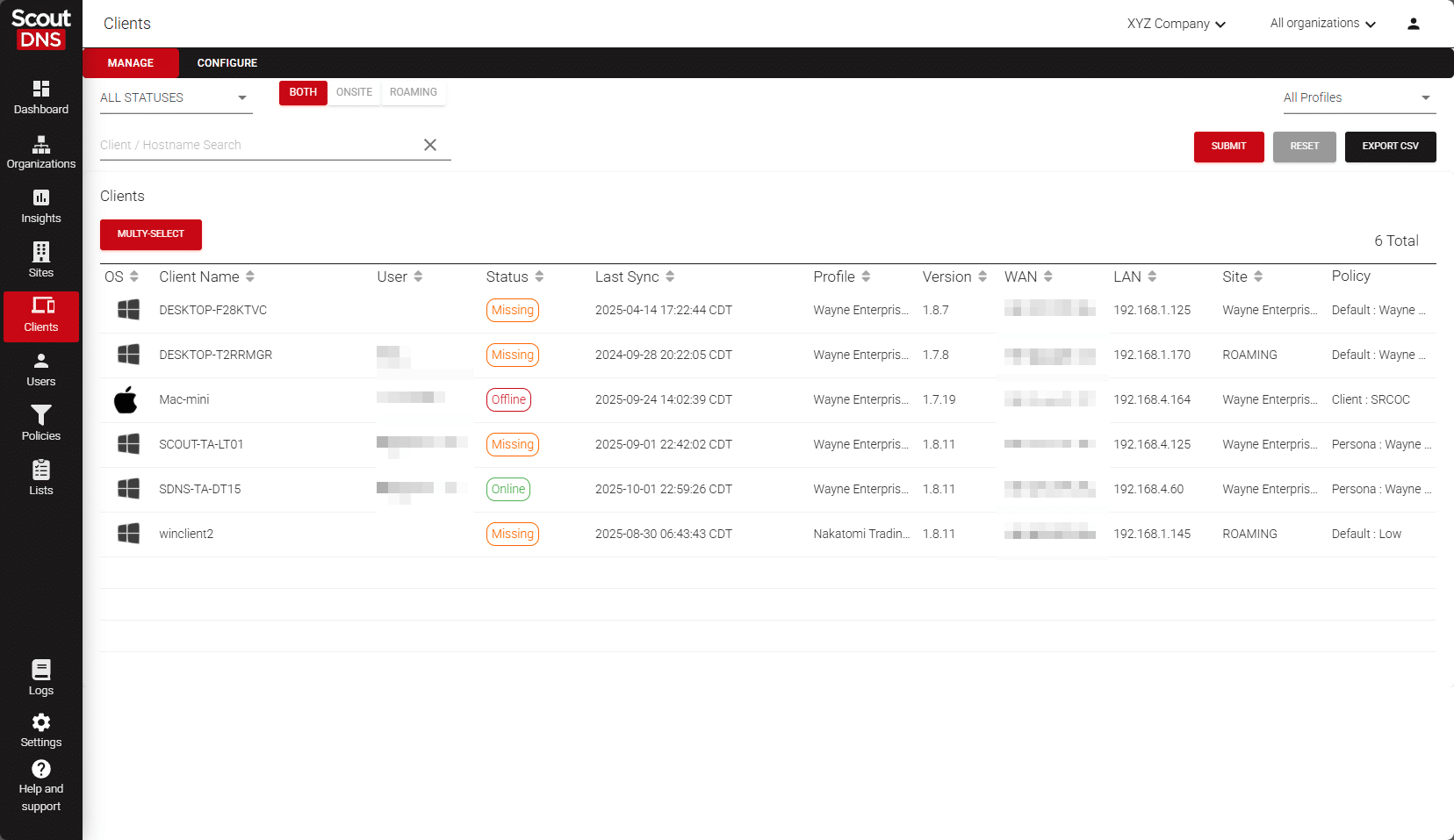
The ScoutDNS Windows Client is built as an enforcement client: system-level DNS interception without adapter DNS or NRPT changes, normal public DNS encrypted over DoH on port 443 to ScoutDNS resolvers during healthy operation, restrictions on common unauthorized DoH, DoT, and DoQ paths, and approved internal domains still resolving through your enterprise resolvers.
Control D's standard Managed installation takes a different path: it runs the open-source ctrld forwarding service locally and points the Windows adapter DNS at it. Optional intercept modes, added in 2026, route Windows DNS through NRPT and, in hard mode, add built-in WFP filters for conventional port-53 traffic. Capable machinery, but interception is the option there and the architecture here.
3. Investigate the full DNS response, not only the destination
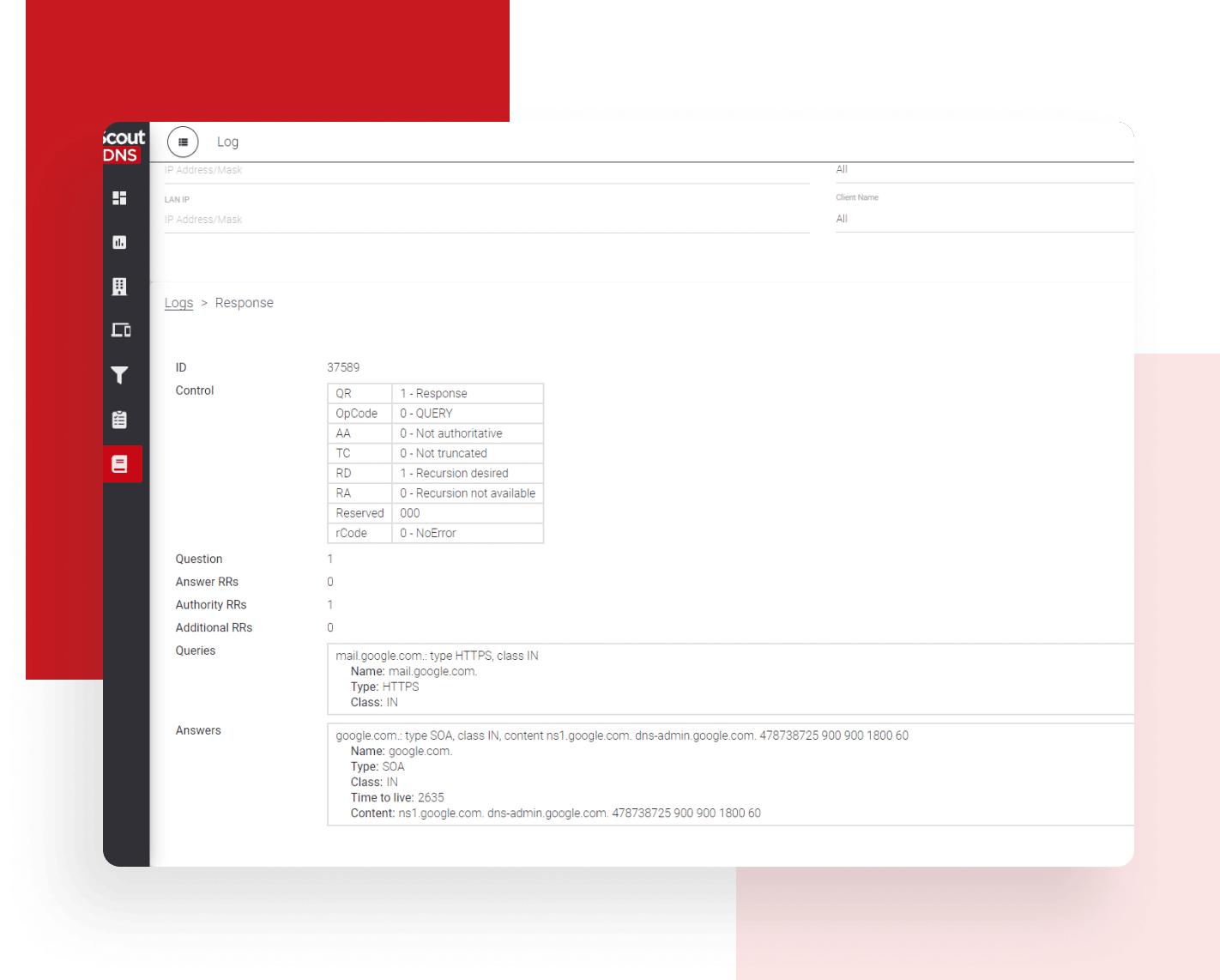
ScoutDNS keeps a live and 30-day searchable per-query log where each event can show the FQDN, query type, resolver, latency, category, policy decision, device and user context, and the complete DNS response packet including full RDATA. When an investigation needs the answer that actually came back, the evidence is one click away.
Control D provides an activity log with up to 30 days of raw queries and up to a year of lower-resolution analytics, with selectable storage regions. In its exported records, response-level detail is currently limited: the SIEM field reference lists an answer field containing IP addresses only.
4. Built to be operated, tenant by tenant
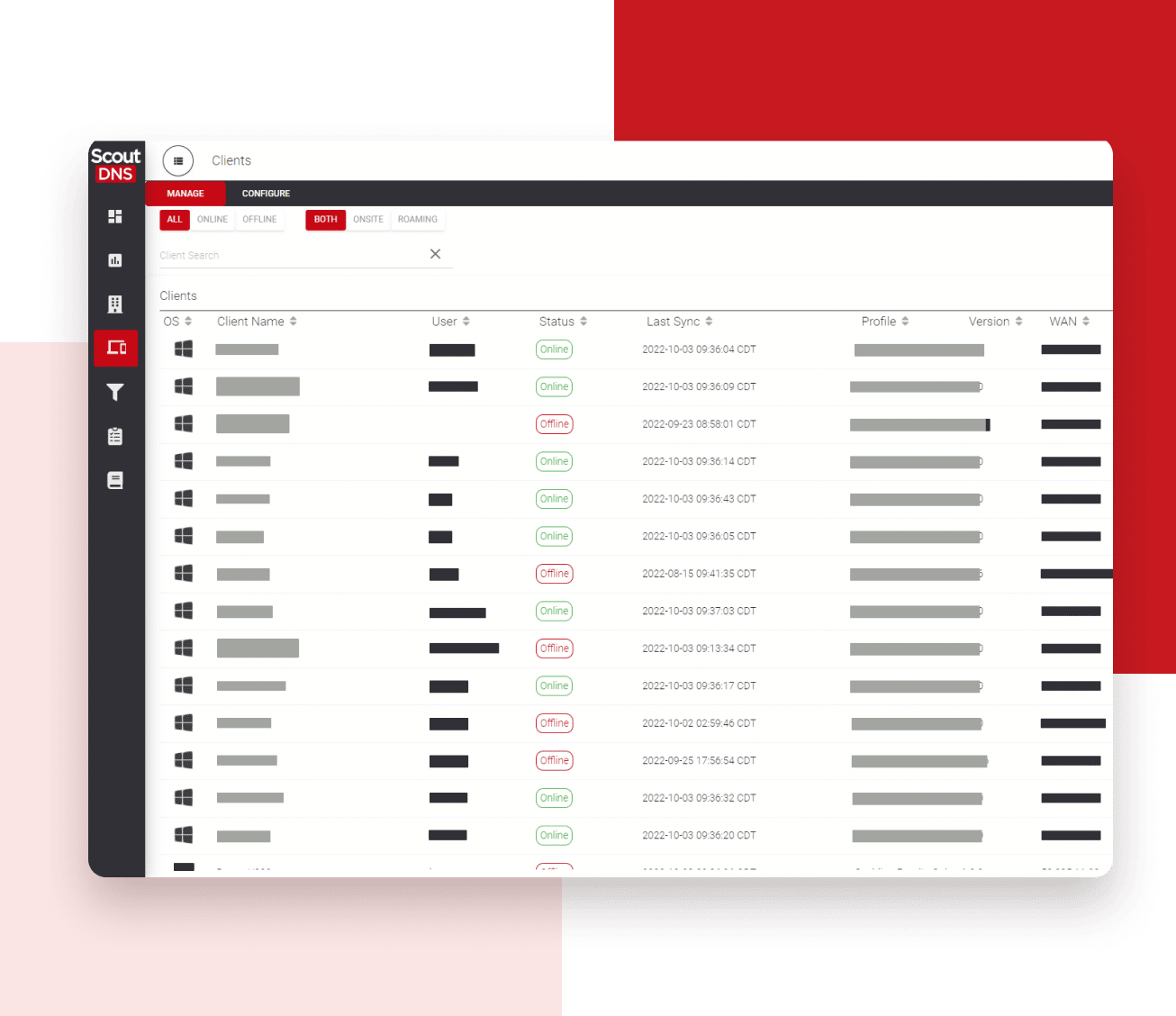
ScoutDNS wraps the security control in an operating model: multi-tenant health, sites with WAN and LAN policy, cloud-managed on-premises relays, roaming clients, directory personas, usage and billing reporting, and SIEM export included with MSP and roaming-client plans. Technicians can temporarily disable and re-enable an individual client from the Control Plane.
Control D has genuine business tooling: Organizations and Sub-Organizations, permissions, RMM and MDM deployment, and broad APIs, with endpoint states for soft and hard disable and remote uninstall. The difference is the center of gravity: a highly configurable DNS service with organization features, versus a platform organized around operating protective DNS for many tenants.
ScoutDNS vs Control D at a glance
| Comparison factor | ScoutDNS | Control D |
|---|---|---|
| Primary focus | Purpose-built protective DNS security platform designed around managed business and MSP requirements | Flexible cross-device DNS control service with personal and business offerings built on the same Profile-and-Endpoint model |
| Policy model | Policies attach to WANs, LANs, client profiles, individual devices, AD and Entra personas, and MSP organizations | Profiles are collections of rules assigned to endpoints or resolvers, with device, sub-organization, and global layers stacking up to three Profiles |
| Directory-driven policy | Native AD and Entra ID group policies configured in-platform, no sync tools to install; policy follows the user | Entra integration is documented for portal SSO and admin roles; as of August 8, 2026, reviewed documentation does not document equivalent native directory-group policy assignment for end-user filtering |
| Windows client architecture | Purpose-built enforcement client: system-level interception without adapter DNS or NRPT changes, encrypted DoH on port 443 in healthy operation, and restrictions on common unauthorized encrypted-DNS paths | Standard Managed install runs the open-source ctrld forwarding service and points adapter DNS at it; optional intercept modes add NRPT routing and, in hard mode, built-in WFP port-53 filters |
| Platform and device coverage | Windows and macOS roaming clients | Windows (x86, x64, ARM), macOS, and Linux daemon, native iOS and Android setup apps, and extensive router and firewall support |
| Encrypted upstream protocols | DNS-over-HTTPS to ScoutDNS resolvers | DoH, DoH3, DoT, and DoQ upstream options |
| DNS investigation | 30 days of searchable query logs with query type, resolver, latency, decision context, and the complete DNS response packet including full RDATA | Activity log with up to 30 days of raw query logs and up to one year of lower-resolution analytics; its current SIEM field reference lists an answer field containing IP addresses only |
| Log retention and residency | 30 days searchable in the portal; SIEM export puts long-term retention under your own policy | Up to 30 days raw plus up to one year of analytics, with customer-selectable analytics storage regions |
| SIEM export | Included with MSP and roaming-client plans; customer-controlled retention can be indefinite | Fluent Bit log streaming is documented; confirm availability and packaging for your tier |
| Content and application controls | 67 filtering categories, application categories, reusable allow/block lists, and Zero Trust TLD filters that can deny unapproved TLDs by default | More than 1,000 predefined service controls, custom rules, profile chaining, and schedules |
| Network deployment | WAN and LAN sites with static or dynamic IP, plus on-premises relays that are remotely adopted and fully cloud-managed, resolving through the ScoutDNS anycast network | Broad router and firewall deployment support plus resolver-based setup, resolving through the Control D anycast network |
| Client troubleshooting | Administrator-controlled temporary disable and re-enable of the client itself from the Control Plane | Soft Disabled stops policy enforcement but keeps the Control D DNS path active; Hard Disabled stops DNS service; endpoint deletion triggers remote uninstall, with a local deactivation PIN option |
| MSP administration | Multi-tenant health, sites, profiles, personas, usage and billing reporting, roles, API, and included support | Organizations and Sub-Organizations, administrative permissions, RMM/MDM deployment, shared and global Profiles, and broad configuration APIs |
| Resolver network operation | Operates its own autonomous system and announces ScoutDNS-owned anycast resolver address space | Operates its own autonomous system (AS398962) announcing Control D anycast DNS and proxy prefixes; this is a point of parity, not a differentiator |
| Commercial terms | Published MSP entry pricing, month-to-month or annual options, support included | Self-serve SMB pricing published at $2 per endpoint per month; MSP and Enterprise pricing via sales |
Last checked August 8, 2026. Sources: ScoutDNS pricing, Control D pricing, Control D for Business docs, Control D ctrld daemon docs, Control D DNS Intercept Mode docs, Control D Profiles docs, Control D analytics and retention docs, Control D SIEM log field reference .
Where Control D stands out
Control D is a serious, well-engineered DNS platform, and for some buyers it is the better fit:
- Device and platform breadth: Windows on x86, x64, and ARM, macOS, Linux, native iOS and Android setup apps, and extensive router and firewall support, a real advantage for mixed fleets.
- Encrypted protocol choice: DoH, DoH3, DoT, and DoQ upstream options, more transport flexibility than most DNS filtering services document.
- Service-control catalog: more than 1,000 predefined service controls plus custom rules, profile chaining, and schedules for fine-grained per-service decisions.
- Traffic redirection: proxy locations can redirect selected traffic, a capability outside the scope of conventional DNS filtering.
- Open-source client and full APIs: the ctrld daemon is open source, and most dashboard configuration is exposed through APIs for automation-heavy teams.
- Analytics retention and self-serve terms: up to one year of lower-resolution analytics with selectable storage regions, and self-serve SMB pricing at $2 per endpoint per month.
Which platform is right for you?
Choose ScoutDNS when:
- Protective DNS should operate as a centrally managed business security control
- Filtering policy should follow AD or Entra ID group membership, not device Profiles
- A purpose-built Windows enforcement client matters more than configuration flexibility
- Full DNS-response and RDATA investigation matters
- SIEM export should be included, with exported retention under your control
- MSP operations need tenant health, usage and billing reporting, and included support in one platform
Choose Control D when:
- Maximum DNS customization and per-service control is the priority
- Coverage must span iOS, Android, Linux, ARM Windows, routers, and firewalls today
- DoH3, DoT, or DoQ upstream transport is a requirement
- Traffic redirection through proxy locations is part of the use case
- An open-source client and API-first configuration fit your automation model
- Self-serve SMB purchasing at published per-endpoint pricing is the preferred motion
Frequently asked questions
Is Control D just a personal DNS service?
No. Control D began as a flexible cross-device DNS service and has documented business capabilities: Organizations and Sub-Organizations, administrative permissions, RMM and MDM deployment, shared and global Profiles, and broad APIs. The real distinction is the model: Control D business builds on the same Profile-and-Endpoint approach as its consumer offering, while ScoutDNS is purpose-built around protective DNS as a managed security control for businesses and MSPs.
How do the Windows clients differ?
Control D’s standard Managed installation runs the open-source ctrld DNS-forwarding service and points the Windows adapter DNS at it; newer optional intercept modes add NRPT routing and, in hard mode, built-in WFP filtering for conventional port-53 DNS. The ScoutDNS Windows Client is a purpose-built enforcement client: system-level interception with no adapter or NRPT changes, encrypted DoH to ScoutDNS on port 443 during healthy operation, and restrictions on common unauthorized DoH, DoT, and DoQ paths.
Do both platforms support Active Directory and Entra ID?
Differently. ScoutDNS supports native AD and Entra ID group-based policies configured inside the platform, so filtering follows the user’s directory membership across devices. Control D documents Entra integration for portal single sign-on and administrative roles, and AD compatibility for internal names and split DNS; as of August 8, 2026, the documentation we reviewed does not document an equivalent native mapping of directory groups to end-user filtering policies.
Which platform covers more devices?
Control D. It documents Windows across x86, x64, and ARM, macOS, Linux, native iOS and Android apps, and extensive router and firewall support. ScoutDNS covers Windows and macOS roaming clients plus network-level deployments through sites and cloud-managed on-premises relays for everything that cannot run an agent.
Which platform provides more detailed DNS investigation?
ScoutDNS shows the request and the complete answer: 30 days of searchable query-log history with query type, resolver, latency, decision context, and the full DNS response packet including RDATA. Control D provides an activity log with up to 30 days of raw queries and up to a year of lower-resolution analytics; in its exported SIEM records, the current field reference lists an answer field that contains IP addresses only.
Can both platforms export logs to a SIEM?
ScoutDNS includes SIEM Data Export with MSP and roaming-client plans, with retention controlled entirely by your own storage policy. Control D documents SIEM log streaming via Fluent Bit; confirm availability and packaging for the tier you are evaluating.
How does client troubleshooting compare?
ScoutDNS administrators can temporarily disable and re-enable an individual Windows client from the Control Plane to isolate an issue, then restore protection remotely. Control D offers Soft Disabled, which stops policy enforcement while keeping the Control D DNS path active, Hard Disabled, which stops DNS answers entirely, and remote uninstall by deleting the endpoint, plus a local deactivation PIN.
Which is better for an MSP?
Both vendors court MSPs. Control D offers Organizations, Sub-Organizations, permissions, RMM/MDM deployment, and APIs, with self-serve per-endpoint pricing for its SMB tier. ScoutDNS is organized around MSP operations end to end: multi-tenant health, sites and relays, roaming clients, directory personas, usage and billing reporting, included SIEM export, and included support with published MSP terms. If protective DNS is a managed service you operate for customers, that operational layer is the difference.
DNS as a security control, not just a setting
If your priority is protective DNS your business or MSP can operate, with identity-based policies, deeper DNS evidence, and included SIEM export, see how ScoutDNS fits your environment. Start a full-featured 14-day trial or schedule a technical comparison.
About this comparison: based on a point-in-time review of publicly available vendor documentation, pricing pages, and product materials, last checked August 8, 2026. Product capabilities, packaging, and pricing change frequently, and Control D may have updated its offering since our review. Nothing on this page is a claim about your specific quote or environment; verify current details with each vendor before making a purchasing decision. Control D and related marks are trademarks of their respective owners. ScoutDNS is not affiliated with or endorsed by Control D Inc. See something out of date? Let us know and we will review it.