 vs. DNSFilter
 ScoutDNS vs DNSFilter: Which DNS Filtering Platform Fits Your Organization?
Both platforms provide protective DNS, content filtering, and roaming laptop protection. ScoutDNS stands out for flexible MSP terms, detailed DNS visibility, centralized client troubleshooting, and stronger control over the Windows DNS path.
The quick answer
DNSFilter is a strong choice for organizations that require iOS and Android protection today or want its broad integration ecosystem. ScoutDNS is the stronger value for MSPs and IT teams focused on Windows and macOS workers, detailed DNS investigation, flexible purchasing, and practical administrative control.
What both platforms do well
A fair comparison starts with the overlap. If your shortlist is ScoutDNS and DNSFilter, both will cover the fundamentals:
Why organizations choose ScoutDNS
Lower price, flexible MSP terms
Approximately 35% to 40% less on comparable published plans; MSP partner rates from $1.05 per seat with a $50 monthly minimum, month to month.
Frictionless directory policies
Native Entra ID and on-premises Active Directory group policies, configured in-platform with no separate synchronization tool to install.
One-action troubleshooting
Disable and re-enable any individual Windows client remotely from the Control Plane, then restore it just as fast.
Encrypted DNS on port 443
In healthy operation, normal public DNS travels as DoH inside standard HTTPS, with common unauthorized DoH, DoT, and DoQ paths restricted.
Full DNS-response visibility
See the answers, not just the requests: 30 days of searchable query logs with full RDATA and raw response inspection.
Cloud-managed on-prem relay
Remotely adopted, fully managed in the console: subnet and VLAN policy with encrypted DNS for BYOD, guest, and headless devices.
1. Pay less for comparable desktop and directory capabilities
Comparing published plans that include desktop roaming clients and directory-based policies, ScoutDNS is approximately 35% to 40% less than DNSFilter. MSPs get their own partner rates starting at $1.05 per seat with a $50 monthly minimum, month-to-month flexibility, usage-based billing, and all partner features included, where DNSFilter’s published MSP entry point is $150 per month on tiered plans.
| Published list price | ScoutDNS Network 360 | DNSFilter Pro |
|---|---|---|
| Monthly | $1.50 per seat | $2.30 per license |
| Annual equivalent | $1.25 per seat/month | $2.10 per license/month |
| MSP partner rate | From $1.05 per seat/month | Tiered MSP plans, $150 monthly minimum |
Prices accessed August 6, 2026. MSP partner rates are usage-based; contact us for volume pricing. Actual pricing can vary by plan, volume, market, and negotiated terms.
2. Troubleshoot individual Windows clients remotely
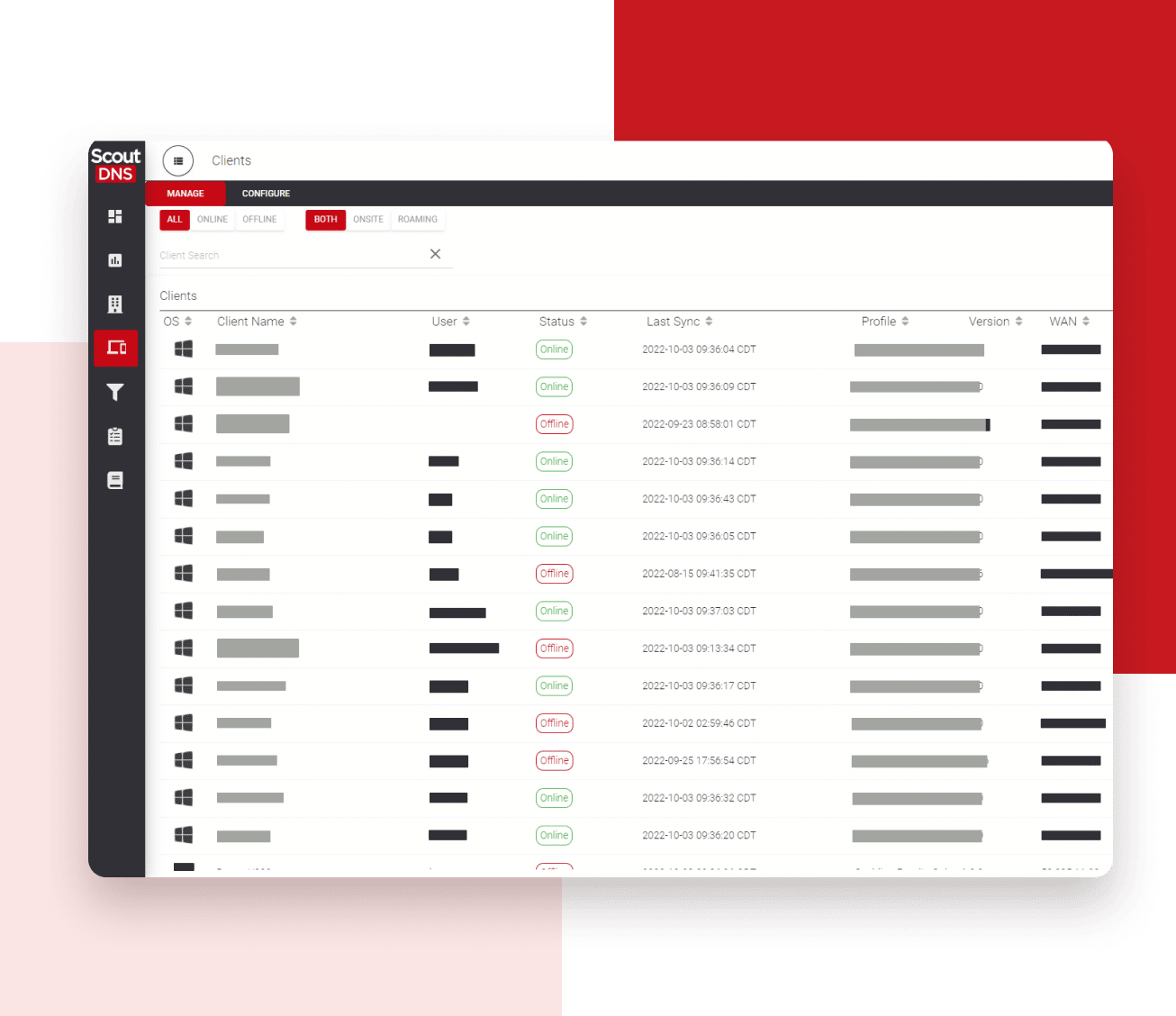
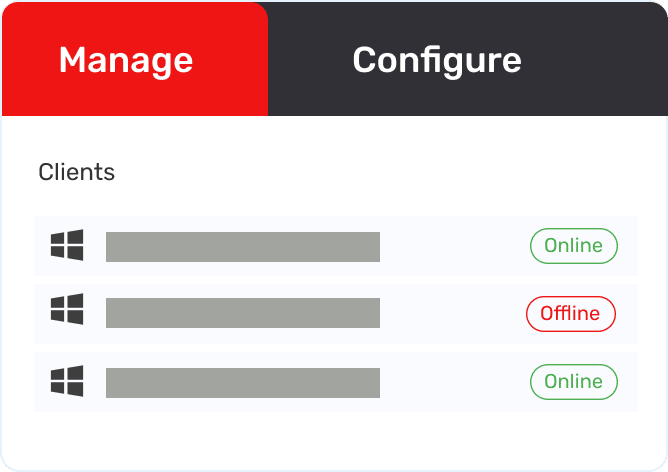
Temporarily disable and re-enable an individual ScoutDNS Windows Client from the Control Plane to troubleshoot an endpoint without uninstalling protection or accessing the device directly. When a user reports a connectivity issue, you can isolate DNS as a factor in seconds, then restore protection just as fast.
DNSFilter provides a capable roaming-client dashboard for settings, versions, and lifecycle management. As of August 6, 2026, the public documentation we reviewed does not list a comparable temporary per-client disable and re-enable action.
3. Keep normal Windows DNS on an approved encrypted path
The ScoutDNS Windows Client uses system-level interception without changing adapter DNS or NRPT configuration. During healthy operation, normal public DNS requests travel over encrypted DoH on standard HTTPS port 443 to ScoutDNS resolvers, and the client restricts common unauthorized DoH, DoT, and DoQ services that would otherwise bypass filtering.
The port matters for roaming. DoH rides inside standard HTTPS on port 443, the one port every hotel, airport, guest, and customer network has to allow for the web to work. DoT uses the dedicated port 853, and on networks your admins don’t control, that port can be blocked or throttled with no recourse. Encrypting DNS on 443 means protection travels as reliably as the web itself.
DNSFilter’s transport varies by its Classic, PreCheck, Transparent Proxy, and Loopback modes; where its documentation describes optional upstream encryption, it is DoT on port 853. Notably, its DNS PreCheck mode evaluates policy locally and resolves allowed queries through the device’s existing resolver path; when that path uses the resolver a guest, hotel, or ISP network provides, that third-party resolver receives the allowed-query metadata.
The ScoutDNS client’s transparent system-level interception takes the opposite approach: during healthy operation, normal public DNS is encrypted straight to the ScoutDNS global anycast network no matter whose Wi-Fi the laptop is on, keeping query metadata with your filtering provider rather than the local network’s resolver. This supports NIST SP 800-81r3 guidance that endpoints should use authorized encrypted DNS services and restrict unauthorized ones.
4. Investigate with longer history and full DNS response detail
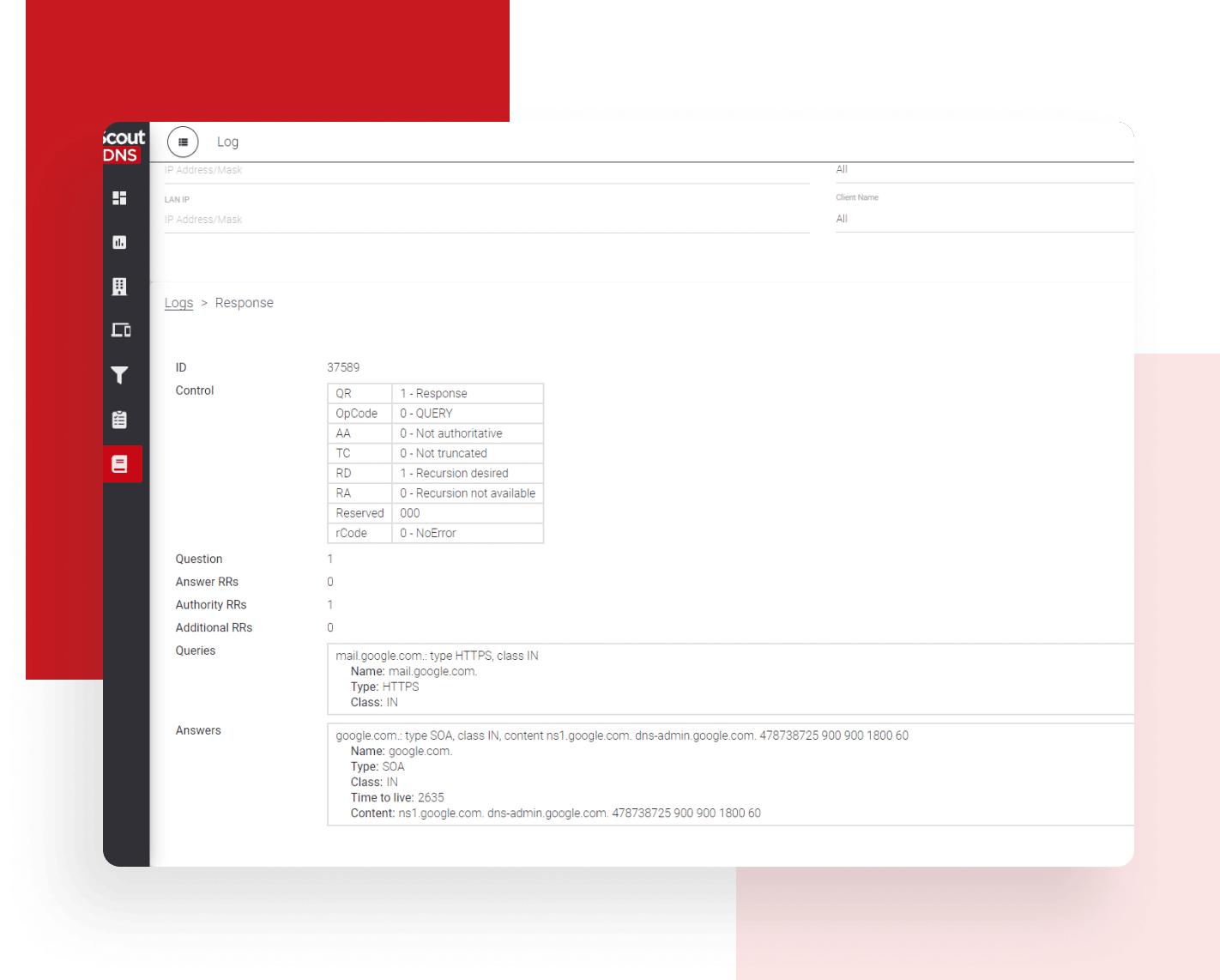
Investigate DNS activity with 30 days of searchable query-log history, drill-down analytics, full response-data inspection, and SIEM export, all included in Network 360. You see not just what was requested and whether it was blocked, but what the DNS answer actually contained, including full CNAME chains and record data.
DNSFilter provides a capable query log, reports, and data exports, with current documentation describing searchable query-log retention up to nine days.
ScoutDNS vs DNSFilter at a glance
| Comparison factor | ScoutDNS | DNSFilter |
|---|---|---|
| Roaming laptop protection | Windows and macOS clients | Windows and macOS clients |
| Site and network deployment | WAN forwarding with static or dynamic IP, plus an on-premises relay that is remotely adopted and fully cloud-managed: policy by subnet or VLAN, with encrypted DNS to the ScoutDNS cloud for BYOD, guest, and headless devices | WAN forwarding and local relay options |
| iOS and Android protection | Not currently available | Available on Enterprise plan |
| Individual remote troubleshooting | Remote disable and re-enable for the ScoutDNS Windows Client, straight from the Control Plane | As of August 6, 2026, the public dashboard documentation we reviewed does not list an equivalent temporary per-client disable action |
| Windows encrypted-DNS control | Encrypted DoH over standard HTTPS port 443 during healthy operation, plus restrictions on common unauthorized DoH, DoT, and DoQ paths | Transport varies by Classic, PreCheck, Transparent Proxy, and Loopback configuration; documented optional encryption is DoT on port 853 |
| Query investigation | 30 days of searchable query-log history, full RDATA inspection, drill-down analytics, and SIEM export | Searchable query log, reporting, and data export, with up to nine days of query-log retention documented |
| Directory-based policy | Native Entra ID and on-premises Active Directory group policies, configured in-platform with no separate synchronization tool to install | Native Entra-driven policies as well; on-premises Active Directory still requires its separately installed legacy AD Sync Tool |
| Comparable published monthly price | Network 360: $1.50 per seat | Pro: $2.30 per license |
| MSP starting minimum | $50 per month | $150 per month |
| MSP billing options | Month-to-month or annual | Tiered MSP plans; confirm contract terms in quote |
| Support | Included | Standard email support included; premium support add-ons available |
Last checked August 6, 2026. Sources: ScoutDNS pricing, DNSFilter pricing .
Where DNSFilter stands out
DNSFilter is a capable, established platform, and for some buyers it is the better fit:
- Mobile-device coverage: native iOS and Android clients on the Enterprise plan, plus Chromebook, alongside Windows and macOS.
- Windows mode flexibility: Transparent Proxy, Classic, DNS PreCheck, and a continued loopback option cover varied Windows environments, with full IPv4 and IPv6 support in PreCheck.
- Mature roaming platform: an established global DNS service with a thorough published roaming-client knowledge base.
- Integration ecosystem: a broad set of PSA, billing, automation, SIEM, and workflow integrations.
Mobile workers are not the same as mobile devices
ScoutDNS protects off-network workers using supported Windows and macOS laptops. DNSFilter also supports those workers and adds native iOS and Android clients on its Enterprise plan. If phones and tablets are in scope today, DNSFilter has the current coverage advantage. If the requirement is laptops used away from the office, both platforms serve that use case.
Which platform is right for you?
Choose ScoutDNS when:
- You want lower comparable pricing and flexible month-to-month terms
- You manage multiple customer environments and value simple tenant operations
- You want to remotely disable and re-enable individual Windows clients for troubleshooting
- You want 30-day query history, full RDATA inspection, and SIEM export
- You want normal Windows internet DNS encrypted to the approved ScoutDNS resolver path
- You want common unauthorized encrypted-DNS services restricted on Windows endpoints
Choose DNSFilter when:
- Native iOS or Android protection is required now
- Chromebook client coverage is important
- A current DNSFilter-native PSA, billing, or workflow integration is a deciding factor
- You specifically want a loopback-adapter filtering mode, which DNSFilter continues to offer alongside its transparent interception options
Frequently asked questions
Does ScoutDNS protect remote and traveling employees?
Yes. ScoutDNS protects off-network workers using supported Windows and macOS laptops from homes, hotels, airports, customer sites, and public Wi-Fi. Roaming laptop protection is a core use case for both platforms.
Does ScoutDNS support iPhones, iPads, or Android devices?
Not currently. ScoutDNS focuses on Windows and macOS laptop protection plus network-level filtering. DNSFilter offers native iOS and Android clients on its Enterprise plan, and if phones and tablets are in scope today, that is a real DNSFilter advantage.
How much less expensive is ScoutDNS than DNSFilter?
Based on public list prices for plans that include desktop roaming clients and directory policies, ScoutDNS Network 360 is approximately 35% to 40% less than DNSFilter Pro. Actual pricing can vary by plan, volume, market, and negotiated terms.
Can MSPs buy ScoutDNS month to month?
Yes. ScoutDNS MSP partners start at a $50 monthly minimum with month-to-month or annual options, usage-based billing, and every partner feature included without separate tiers.
Does ScoutDNS integrate with Active Directory and Entra ID?
Yes. ScoutDNS supports native Microsoft Entra ID and on-premises Active Directory group policies, so user- and group-based filtering follows your existing directory structure. Both platforms now support native Entra-driven policies; the difference is on-premises AD, where ScoutDNS configures policy natively while DNSFilter still requires a separately installed AD Sync Tool.
Where do roaming DNS queries actually go on each platform?
With ScoutDNS, normal public DNS from a healthy Windows client travels encrypted to the ScoutDNS global anycast network regardless of what network the laptop joins, so query metadata stays with your filtering provider. DNSFilter’s resolution path depends on mode: Classic routes queries to DNSFilter’s cloud, while its documented DNS PreCheck mode evaluates policy locally and resolves allowed queries through the device’s existing resolver path. When that path uses the resolver a guest, hotel, or ISP network provides, a third-party resolver your organization does not control receives the allowed-query metadata.
How does the ScoutDNS Windows Client handle encrypted DNS?
During healthy normal operation, public internet DNS requests travel over encrypted DoH on standard HTTPS port 443 to ScoutDNS resolvers, without changing adapter DNS or NRPT settings. Because port 443 is open on effectively every network, encrypted protection follows roaming laptops onto guest and hotel Wi-Fi where the dedicated DoT port 853 is often blocked. The client also restricts common unauthorized DoH, DoT, and DoQ paths, which helps organizations align endpoint DNS practices with NIST SP 800-81r3 guidance.
See the difference for yourself
See how ScoutDNS simplifies DNS protection, visibility, and MSP operations. Start a full-featured 14-day trial or schedule a comparison walkthrough with our team.
About this comparison: based on a point-in-time review of publicly available vendor documentation, pricing pages, and product materials, last checked August 6, 2026. Product capabilities, packaging, and pricing change frequently, and DNSFilter may have updated its offering since our review. Nothing on this page is a claim about your specific quote or environment; verify current details with each vendor before making a purchasing decision. DNSFilter and related marks are trademarks of their respective owners. ScoutDNS is not affiliated with or endorsed by DNSFilter, Inc. See something out of date? Let us know and we will review it.