Browse Admin Console
- Dashboard overview
- Insights overview
- Sites Overview - Network Deployments
- Policies Overview - Create and Edit
- Custom Lists overview
- Clients Overview - Device Agents and Profiles
- Users Overview - Directory Users and Personas
- Organizations Overview - MSP Tenant Management
- Lookup Tool Overview
- Query Log Overview
- Settings Overview - Account Administration
- Help & Support Overview
- Signing In - Login, 2FA, and Password Reset
- Two-factor authentication (2FA)
- Add system users (role-based access)
- Check domain classification with the Lookup Tool
- Configurable objects and their associations
- Configure notifications
- Working with organizations (multi-tenant)
- Working with policies
- Content categories
- Security categories
- Application categories (Zero Trust app management)
- Working with allow and block lists
- Zero Trust TLD Filters
- Safe Search explained
- Safe Search supported search engines
- YouTube Restricted Mode explained
- Custom block pages
- Prevent DNS bypass
- Don't mix DNS providers
- Active Directory group policies
- Entra ID group policies
- Tracking individual users
Configurable objects and their associations
How ScoutDNS objects fit together: lists, policies, organizations, sites, and profiles, and which objects can attach to which.
ScoutDNS uses an object-based configuration model. A small number of object types compose into every deployment shape, from a single-site small business to a multi-tenant MSP. This article explains each object and what it can attach to.
Quick reference
| Object | What it is | Attaches to |
|---|---|---|
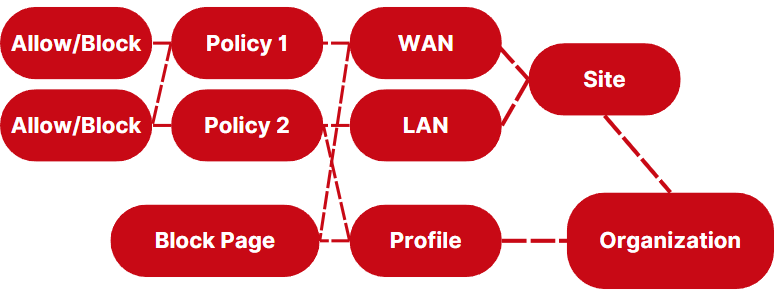
| Allow/Block List | Per-domain overrides for policy decisions | One or more Policies (or marked global) |
| Policy | The rulebook: categories, applications, threats, Safe Search, etc. | WANs, LANs, Profiles, Persona groups |
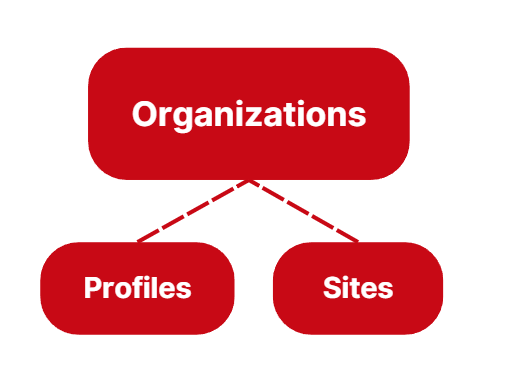
| Organization | Container for multi-tenant segmentation | Sites, Profiles, organization-scoped objects |
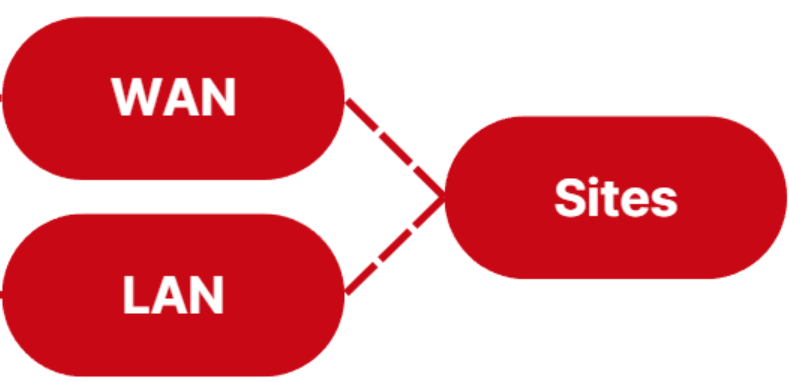
| Site | Physical location grouping WANs and LANs | An Organization (if enabled) |
| WAN / LAN | Network within a Site | A Site; carries one Policy and one Block Page |
| Profile | Group of devices running the roaming agent | An Organization (if enabled); carries one Policy and one Block Page |
| Persona | AD or Entra ID group-to-policy mapping | A Domain/Tenant and an Organization |
Allow/Block lists
Allow/block lists hold per-domain overrides. They can be global (apply across every policy automatically) or standard (attached to specific policies). See Working with allow and block lists for syntax and evaluation order.
Attachment rules
-
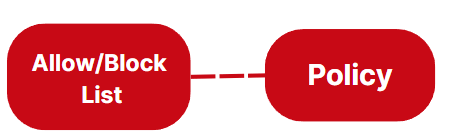
One list can be assigned to one policy.
-
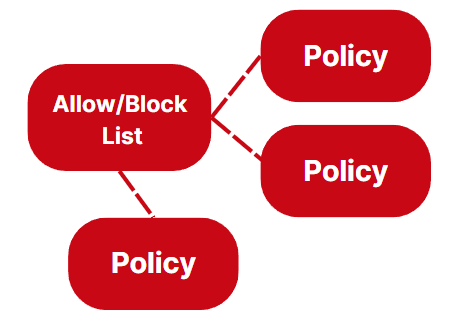
One list can be assigned to multiple policies.
-
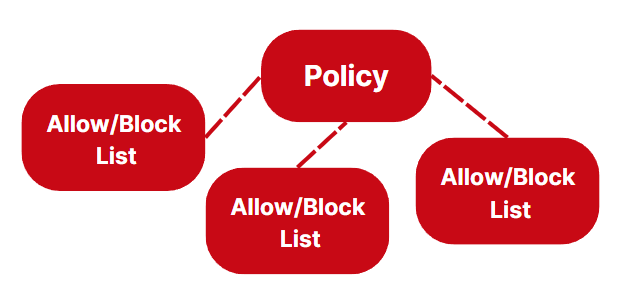
One policy can hold multiple lists.
Policies
Policies are the rulebooks that govern end-user devices: which categories, applications, and threats are blocked; whether Safe Search is enforced; what the block page looks like, etc. Full reference in Working with policies.
Attachment rules
-
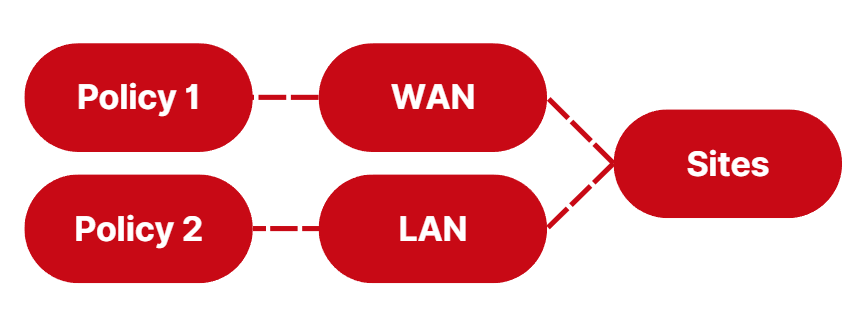
A policy is assigned to WANs and LANs within a Site (for network-based deployments).
-
A policy is assigned to Profiles (for roaming clients).

-
A policy is assigned to Persona group entries (for AD/Entra-group-based filtering).
-
A policy holds zero or more allow/block lists for domain-level overrides.
Organizations
Organizations are container-like objects that group Sites and Profiles for multi-tenant segmentation. The Organizations tab is enabled by default for MSP accounts and available for Enterprise accounts on request.
Attachment rules
- Sites and Profiles are assigned to Organizations.
- Policies, allow/block lists, and block pages can be tagged to an Organization (created from inside the org view) so external Org Operators can manage them.
Sites
Sites represent physical locations and group the WAN/LAN networks at each location. Both WAN Forwarding and LAN Relay deployments live here. See the Quickstart for the basic site/WAN setup.
Attachment rules
-
Sites are assigned to Organizations when the tab is enabled.

-
WANs and LANs are created inside a Site.
-
Each WAN and LAN gets one Policy.
-
Each WAN gets one Block Page (LANs inherit from the WAN).

Profiles
Device Profiles group devices running the roaming agent under a common policy. Each device belongs to exactly one profile.
Attachment rules
-
Profiles are assigned to Organizations when the tab is enabled.

-
Each Profile carries one Policy.
-
Each Profile carries one Block Page.

-
Client devices are assigned to a Profile during install (via the install key) and can be reassigned later.

Putting it together
A typical deployment with all of the objects in play:
[!TIP] When designing your setup, start at the policy layer and work outward. Policies are the durable assets, sites, profiles, and personas come and go but a well-tuned policy gets reused everywhere.