Browse Admin Console
- Dashboard overview
- Insights overview
- Sites Overview - Network Deployments
- Policies Overview - Create and Edit
- Custom Lists overview
- Clients Overview - Device Agents and Profiles
- Users Overview - Directory Users and Personas
- Organizations Overview - MSP Tenant Management
- Lookup Tool Overview
- Query Log Overview
- Settings Overview - Account Administration
- Help & Support Overview
- Signing In - Login, 2FA, and Password Reset
- Two-factor authentication (2FA)
- Add system users (role-based access)
- Check domain classification with the Lookup Tool
- Configurable objects and their associations
- Configure notifications
- Working with organizations (multi-tenant)
- Working with policies
- Content categories
- Security categories
- Application categories (Zero Trust app management)
- Working with allow and block lists
- Zero Trust TLD Filters
- Safe Search explained
- Safe Search supported search engines
- YouTube Restricted Mode explained
- Custom block pages
- Prevent DNS bypass
- Don't mix DNS providers
- Active Directory group policies
- Entra ID group policies
- Tracking individual users
Configure notifications
Route ScoutDNS alerts to specific email addresses with notification profiles: dynamic-DNS IP changes, unblock requests, and more.
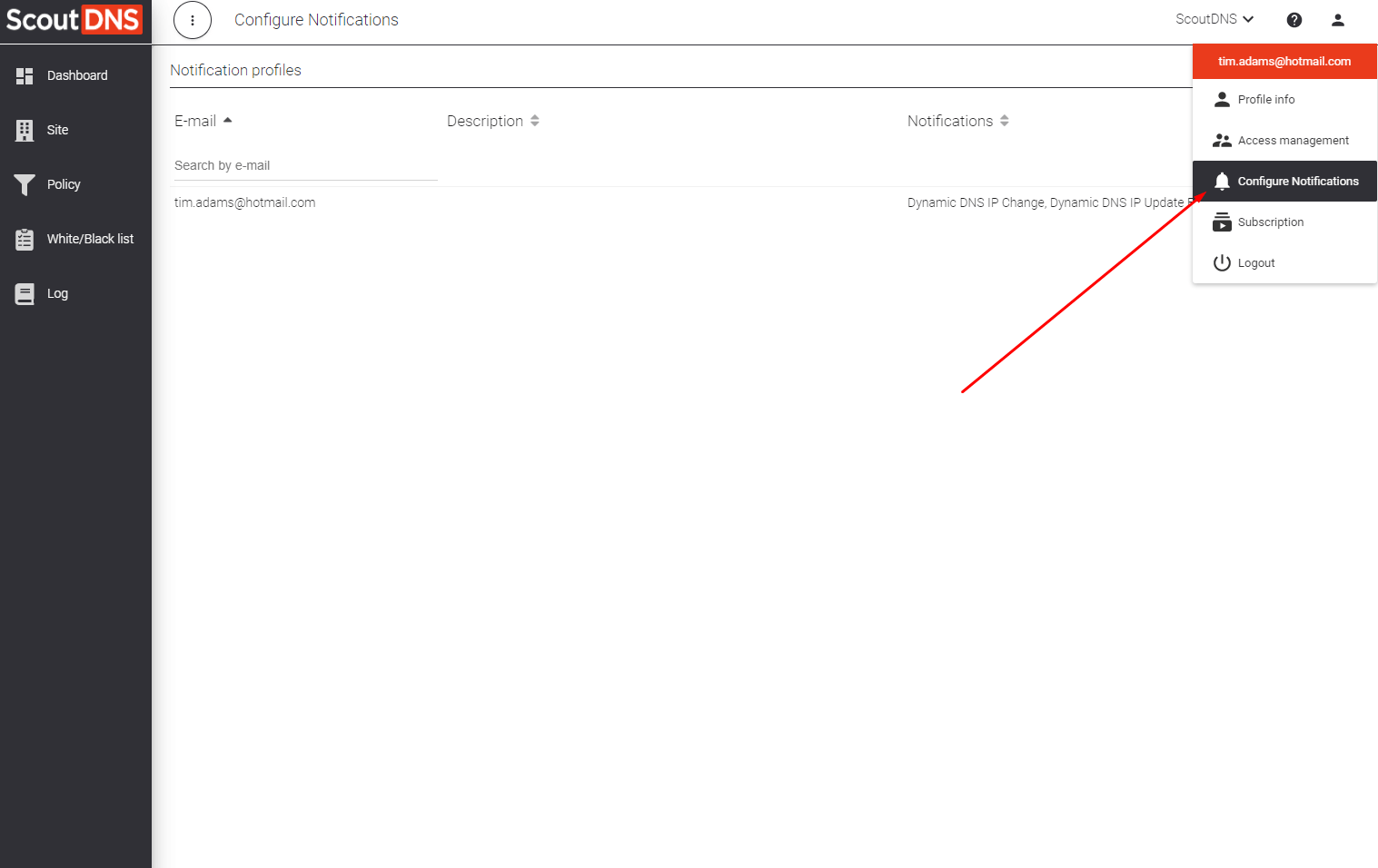
ScoutDNS sends alerts to recipients you configure via notification profiles, managed under Settings → Notifications. A profile pairs an email address with the set of alert types that address receives. The email doesn’t need to be a ScoutDNS operator account, it can be a shared inbox, a distribution list, or anything else that takes mail.
Create a notification profile
- Open Settings → Notifications and click New Profile.
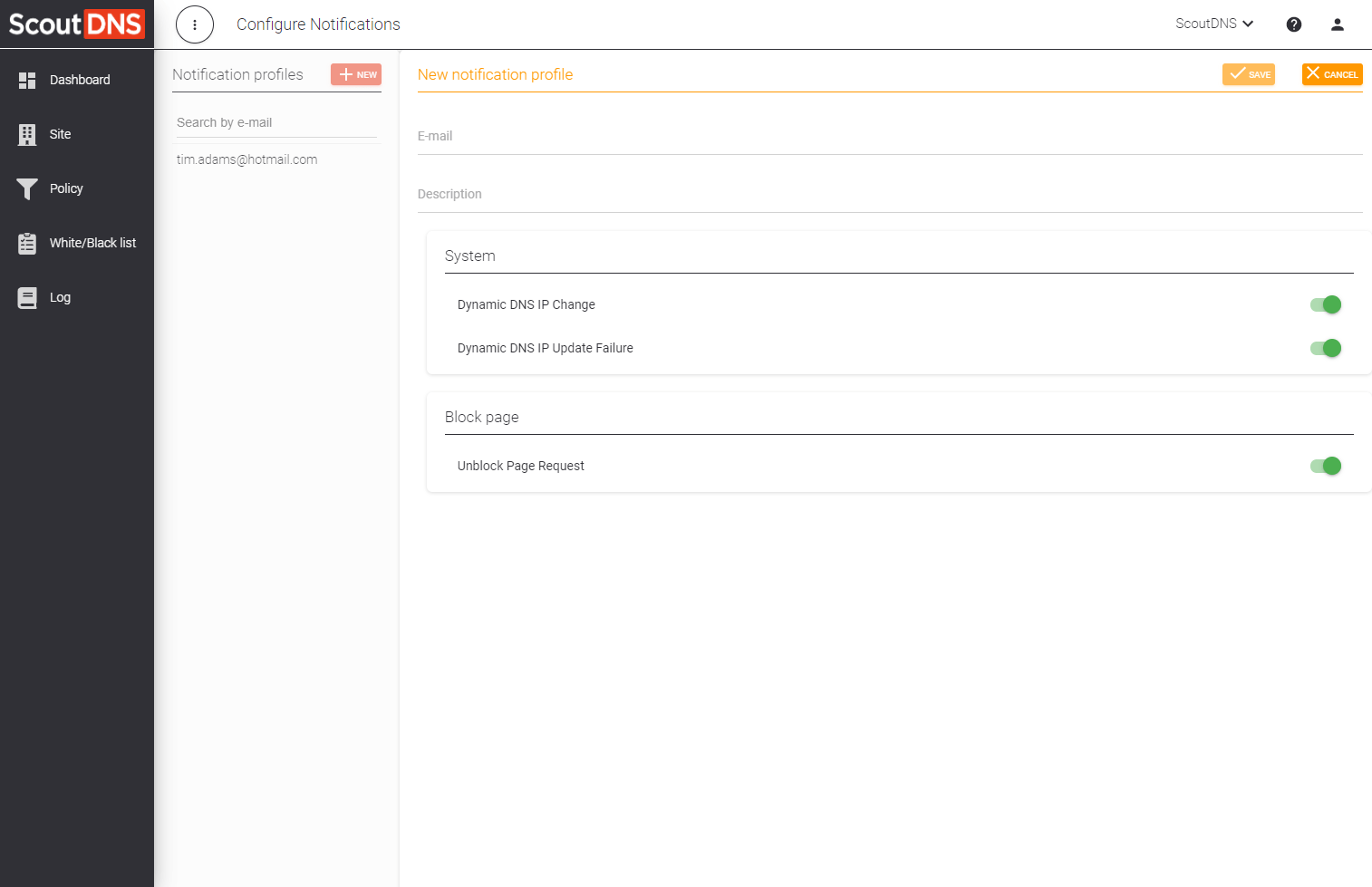
- Enter the recipient email address.
- (Optional) Add a description so other admins know what the profile is for.
- New profiles start with every alert type enabled; untoggle the ones this recipient should not receive (see the catalog below).
- Save.
To change a profile later, click its row and Edit Profile. Deleting a profile stops its emails immediately.
Alert catalog
Alerts are grouped into two families.
System
| Alert | When it fires |
|---|---|
| Dynamic DNS IP Change | A DNS IP change is detected on a network using a dynamic-DNS hostname and the new IP is successfully obtained. |
| Dynamic DNS IP Update Failure | A DNS IP change is detected on a dynamic-DNS network but ScoutDNS could not obtain the new IP. Action needed, your dynamic-DNS provider’s updater may be down. |
Block page
| Alert | When it fires |
|---|---|
| Unblock Page Request | An end user submits an unblock request from a custom block page. The request includes the domain they tried to reach and (if you enabled the email field on the block page) their email address. |
[!TIP] Send Unblock Page Request alerts to your service-desk shared inbox, not an individual. Volume can be high on tightly-filtered networks, and tracking turnaround as a team is easier than relying on a single recipient.
More alert types are being added; new ones appear in the profile editor automatically.
Related
- Settings Overview - Account Administration
- Custom block pages, where unblock requests originate
- Dynamic IP setup, what triggers the dynamic-DNS alerts