 vs. WebTitan
 ScoutDNS vs WebTitan: Which DNS Filtering Platform Fits Your Organization?
WebTitan offers a mature MSP filtering platform with Chromebook support and a broader security portfolio. ScoutDNS gives MSPs and IT teams deeper DNS-response visibility, simpler directory policies, included SIEM export, stronger Windows DNS controls, and flexible purchasing.
The quick answer
Choose ScoutDNS when DNS investigation, straightforward AD/Entra policy, Windows DNS enforcement, and flexible MSP terms matter most. Choose WebTitan when Chromebook coverage, Cloud Key bypasses, or TitanHQ portfolio consolidation is the better fit.
What both platforms do well
Why organizations choose ScoutDNS
Full DNS-response visibility
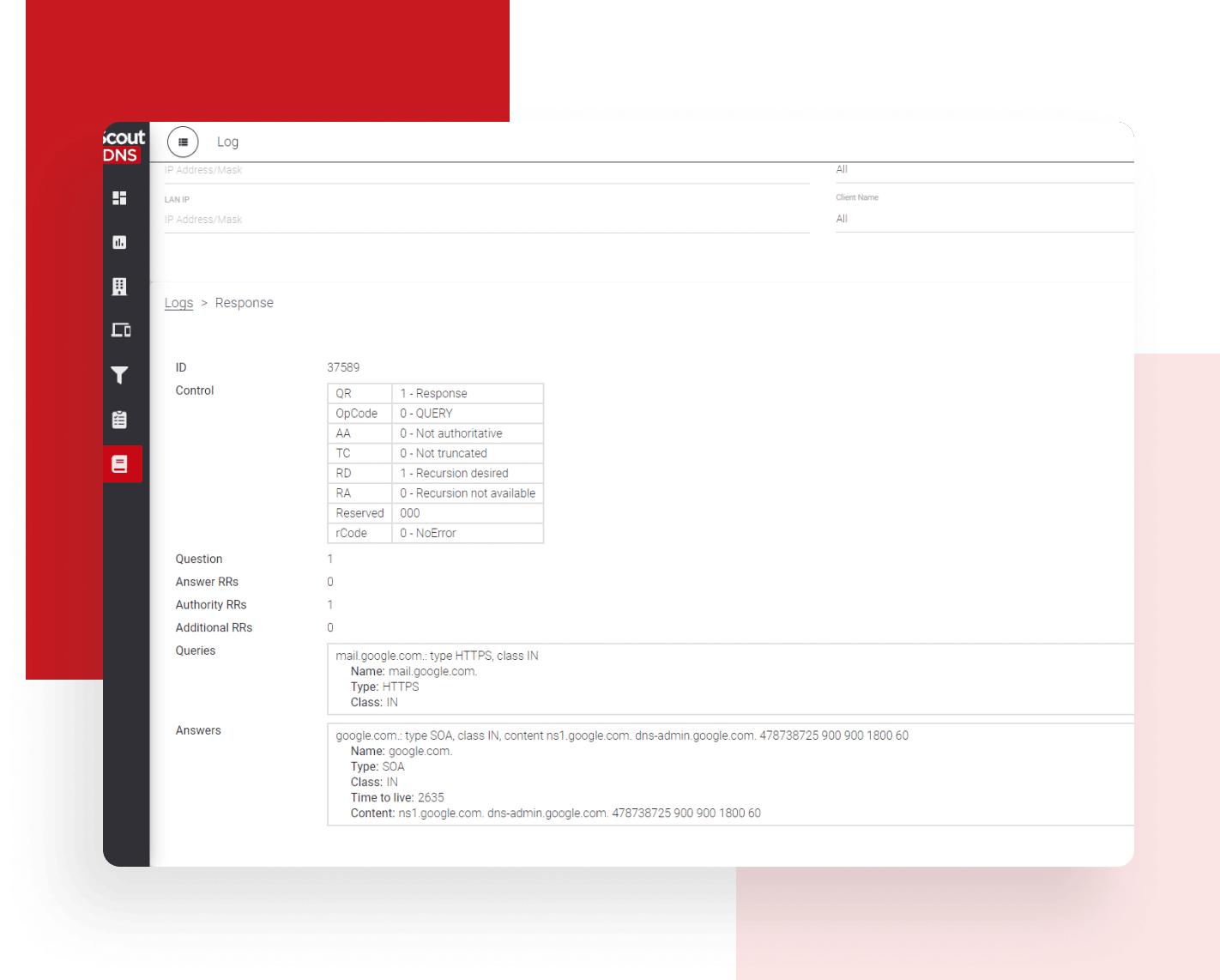
See the answers, not just the requests: 30 days of searchable query logs with full RDATA and raw response inspection.
SIEM export included
Included with MSP and roaming-client plans. Retention lands under your own storage policy, including indefinitely.
Native AD and Entra policy
Group-based policies configured inside ScoutDNS, with no separate sync infrastructure to deploy or maintain.
Windows DNS control
Network-layer enforcement without adapter changes; normal public DNS encrypted on port 443 in healthy operation, common unauthorized encrypted-DNS paths restricted.
One-action troubleshooting
Disable and re-enable any individual Windows client remotely from the Control Plane, then restore it just as fast.
Cloud-managed on-prem relay
Remotely adopted, fully managed in the console: subnet and VLAN policy with encrypted DNS for BYOD, guest, and headless devices.
1. Investigate DNS answers, not only requested domains
Investigate both DNS requests and the answers they returned with 30 days of searchable query-log history, full RDATA capture, record-type and TLD views, and drill-down analytics. SIEM export is included with ScoutDNS MSP and roaming-client plans, so customers control long-term retention under their own storage policy, including indefinitely.
WebTitan provides capable request history and scheduled reports; its documented history fields cover request metadata such as user, destination, category, and action. Its Data Offload API makes request-log files available for download for the previous five days, for teams that build their own ingestion workflow.
2. Use AD and Entra groups without extra identity infrastructure
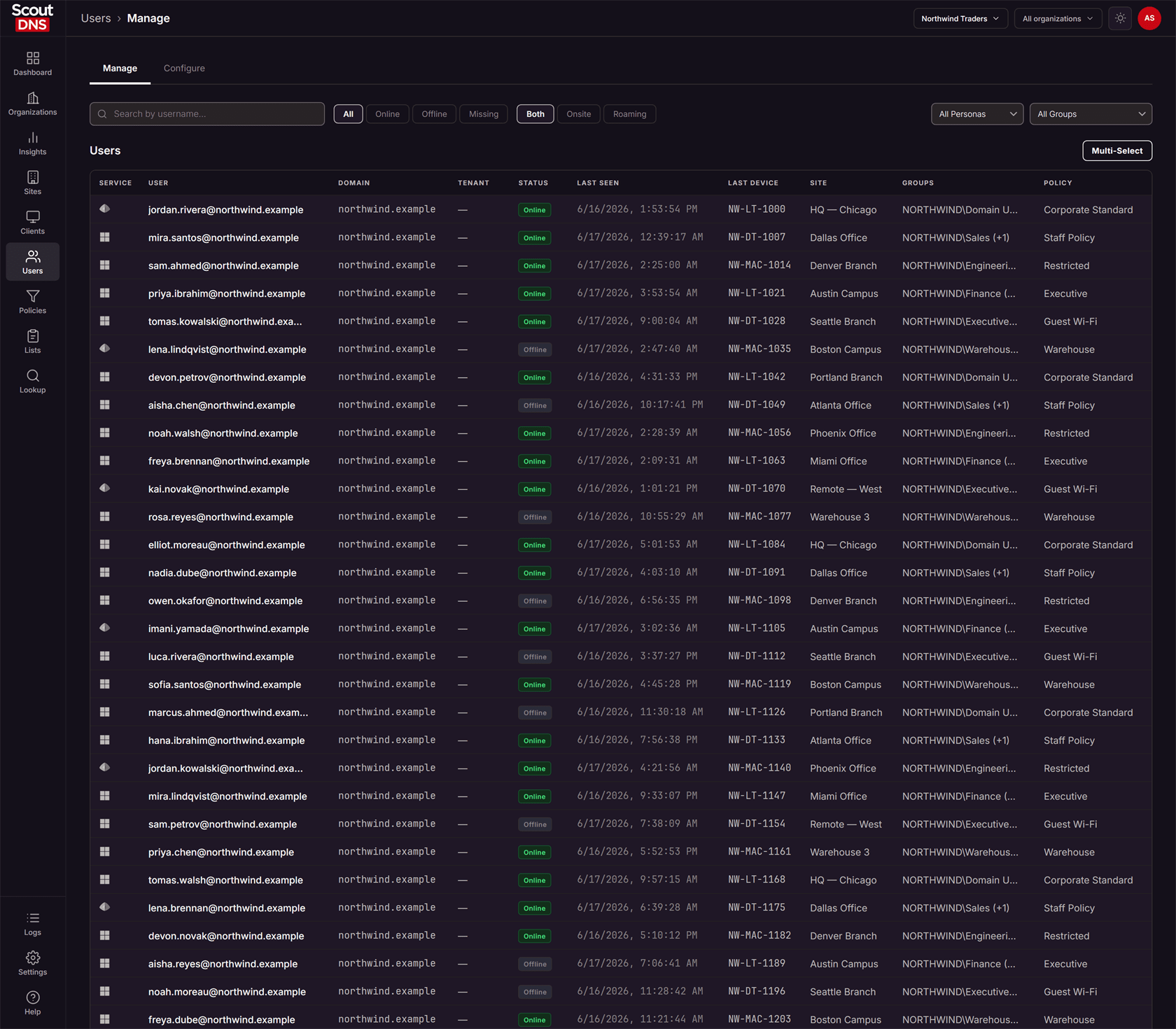
Apply DNS policies using Active Directory or Entra ID groups configured natively inside ScoutDNS, with no separate synchronization utility to deploy or maintain.
WebTitan supports both directories, but through additional documented components: DNS Proxy plus the WADA agent for on-premises AD, or DNS Proxy plus its Enterprise App for Entra ID, with Azure resource-group, virtual-network, and SSH-key administration in the setup path. That is workable infrastructure, but it is infrastructure you run.
3. Keep supported Windows DNS on an authorized encrypted path
ScoutDNS protects supported Windows devices at the network layer without rewriting adapter DNS settings. During healthy operation, normal public DNS travels over encrypted DoH on standard HTTPS port 443 to ScoutDNS resolvers, and the client helps restrict common unauthorized DoH, DoT, and DoQ paths. Those resolvers sit on the ScoutDNS anycast network, announced from ScoutDNS's own autonomous system, so routing announcements and anycast behavior stay under ScoutDNS control.
WebTitan OTG instead manages Windows network DNS settings; its current documentation does not describe kernel-level transparent interception, and its known-issues guidance notes that other software redirecting DNS, including encrypted Secure DNS features, can interfere with OTG filtering. ScoutDNS is the stronger fit when filtering should stay independent of the resolver configured on the adapter.
4. Troubleshoot clients remotely, and buy on flexible MSP terms
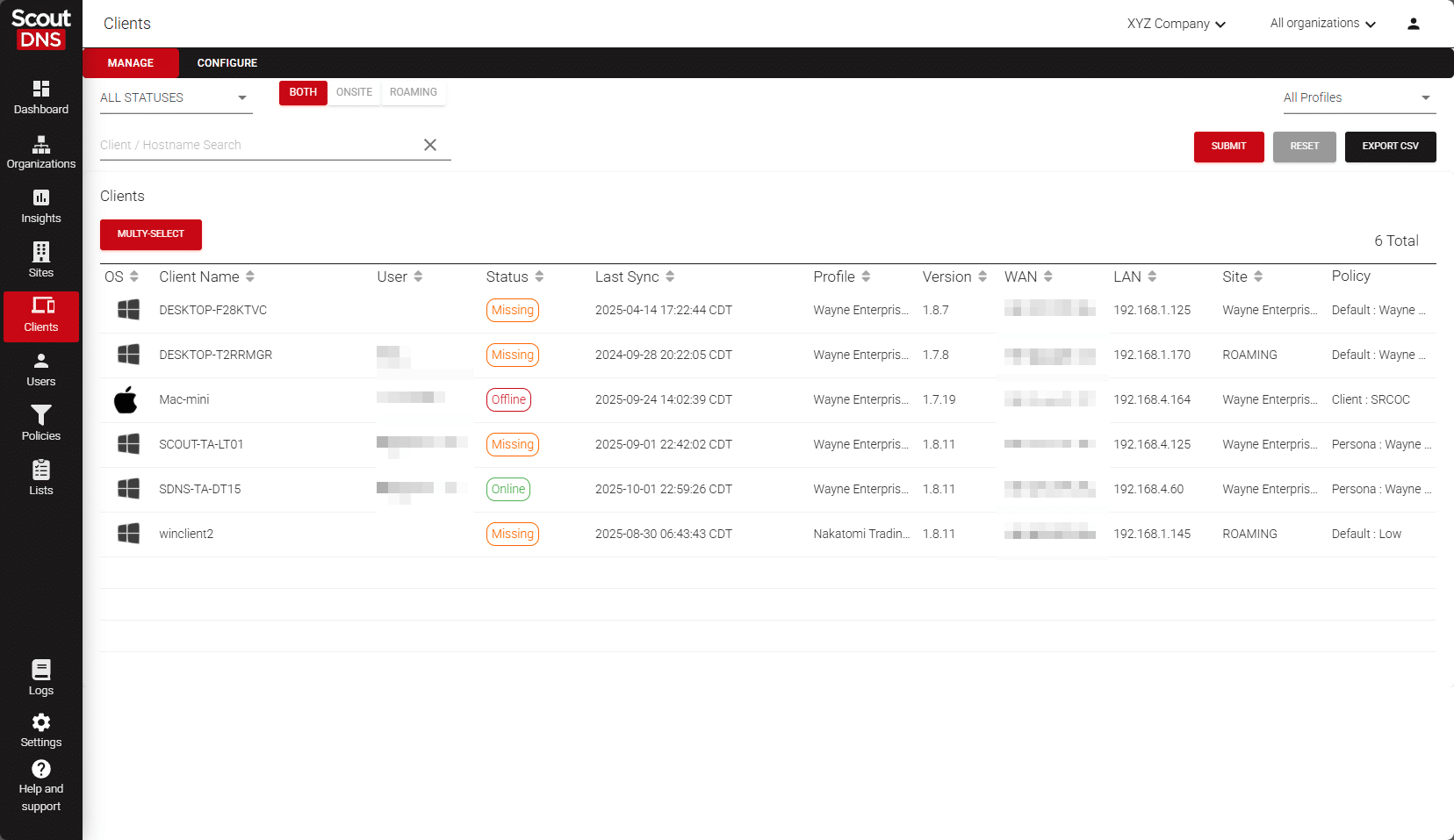
Temporarily disable and re-enable an individual ScoutDNS Windows Client from the Control Plane to isolate a DNS issue without uninstalling protection or touching the device. WebTitan has genuine remote device configuration; as of August 7, 2026, the public documentation we reviewed does not list an equivalent one-action temporary disable for a selected device.
On the commercial side, ScoutDNS publishes its pricing and MSP terms: a $50 monthly starting minimum, month-to-month or annual options, usage-based scaling, all partner features included, and support included. TitanHQ routes buyers through configuration and quote workflows, so confirm comparable terms in writing.
ScoutDNS vs WebTitan at a glance
| Comparison factor | ScoutDNS | WebTitan |
|---|---|---|
| Primary focus | Protective DNS, content filtering, roaming protection, and DNS-layer investigation | DNS filtering and content control within the broader TitanHQ/CyberSentriq portfolio |
| Roaming laptop protection | Windows and macOS clients | Windows and macOS OTG clients |
| Site and network deployment | WAN forwarding with static or dynamic IP, plus an on-premises relay that is remotely adopted and fully cloud-managed: policy by subnet or VLAN, with encrypted DNS to the ScoutDNS cloud for BYOD, guest, and headless devices | Network locations and DNS forwarding; no local relay appliance documented |
| Resolver network operation | Operates its own autonomous system and announces ScoutDNS-owned anycast resolver address space, with routing announcements and anycast behavior under ScoutDNS control | As of August 7, 2026, published regional resolver addresses are within AWS address space and announced by Amazon ASNs |
| Chromebook roaming protection | Not currently available | Managed Chromebook OTG client available |
| Directory-driven policy | Native AD and Entra ID policy configuration, no separate sync utility to deploy | Supports AD and Azure AD/Entra through DNS Proxy plus WADA or the WebTitan Enterprise App |
| Windows DNS enforcement | Network-layer interception without rewriting adapter DNS settings; normal public DNS uses DoH/HTTPS; helps restrict common unauthorized encrypted-DNS paths | OTG manages Windows network DNS settings; current documentation does not describe kernel-level transparent interception and notes other encrypted Secure DNS software can interfere |
| Individual client troubleshooting | Temporary remote disable and re-enable from the ScoutDNS Control Plane | Remote configuration and conditional device exceptions; as of August 7, 2026, the public documentation we reviewed does not list an equivalent one-action full temporary disable |
| DNS investigation | 30 days of searchable query-log history, full RDATA capture, raw response inspection, TLD/record-type views, and drill-down analytics | Request history and behavior, blocked, trend, and security reports; current docs list request metadata rather than a raw-response workflow |
| Log export workflow | SIEM export included with MSP and roaming-client plans; customer-controlled retention can be indefinite | Data Offload API provides request-log files for download during a five-day availability window; customers can retain downloaded data under their own policy |
| MSP administration | Multi-tenant management, roles, health, configuration, usage, and billing | Mature service-provider console, global defaults/domains, customer impersonation, interface branding, and APIs |
| APIs | Self-managed API keys with Swagger-documented endpoints for both analytics and configuration | Management APIs plus a Data Offload API for request-log download |
| Filtering categories | 67 current categories | 53 predefined categories plus eight customizable categories |
| End-user block-page bypass | Not currently offered | Cloud Key bypass workflow available |
| MSP purchasing | Published entry pricing; month-to-month or annual options; support included | Public site uses product configuration/quote workflows; confirm current price, minimum, term, and support in writing |
| Broader vendor suite | Designed to coexist with the customer’s chosen security stack | Email security, phishing protection, awareness training, archiving, encryption, backup, and bundles available |
Last checked August 7, 2026. Sources: ScoutDNS pricing, WebTitan DNS filtering, TitanHQ pricing, WebTitan OTG 2 for Windows guide, WebTitan DNS Proxy and WADA setup .
Where WebTitan stands out
WebTitan is a credible, established DNS-filtering platform, and for some buyers it is the better fit:
- Chromebook coverage: a managed Chromebook OTG client alongside Windows and macOS, a real advantage for Chromebook fleets today.
- Cloud Key bypasses: end users or support staff can authorize block-page bypasses, recorded as Bypassed in history. ScoutDNS has no equivalent workflow.
- Mature white-label MSP platform: multi-tenant management, global defaults and domains, customer impersonation, interface branding, and service-provider reporting.
- Scheduled reporting: behavior, blocked, trend, security, and history reports with saved filters and scheduled delivery; service-provider deployments document a 62-day default retention, subject to configuration and capacity.
- Established MSP partner program: partner tiers, co-branded content, NFR benefits, marketing resources, and a long-standing MSP-oriented sales motion.
- Broader security portfolio: TitanHQ, now part of CyberSentriq, bundles email security, phishing protection, awareness training, archiving, encryption, and backup for vendor consolidation.
Which platform is right for you?
Choose ScoutDNS when:
- Full DNS-response visibility and raw RDATA investigation matter
- SIEM export should be included with the MSP or roaming-client plan
- AD or Entra ID policy should not require separate DNS Proxy and WADA components
- Stronger Windows control over unauthorized encrypted DNS is important
- Technicians want a direct remote disable and re-enable troubleshooting action
- Published pricing, month-to-month MSP service, and included support are priorities
Choose WebTitan when:
- Managed Chromebook roaming protection is required today
- End users or support staff need Cloud Key block-page bypass workflows
- WebTitan’s mature white-label service-provider environment is already familiar
- A longer documented native reporting window matters more than a full-RDATA workflow
- You want to consolidate DNS filtering with the broader TitanHQ/CyberSentriq portfolio
- WebTitan’s device configuration or existing API integration is already embedded in your operations
Frequently asked questions
Is WebTitan a DNS filter or a web proxy?
WebTitan is a DNS-layer filtering platform, like ScoutDNS. Both filter requests at the DNS level rather than proxying full web traffic. WebTitan sits within the broader TitanHQ/CyberSentriq security portfolio, while ScoutDNS is purpose-built around protective DNS.
Do ScoutDNS and WebTitan protect remote workers on laptops?
Yes, both. ScoutDNS protects off-network Windows and macOS laptops with its roaming clients, and WebTitan covers the same platforms with its OTG clients. Roaming laptop protection is not a differentiator in either direction.
Which platform supports Chromebooks?
WebTitan offers a managed Chromebook OTG client today; ScoutDNS does not currently offer Chromebook coverage. If managed Chromebooks are in scope, that is a genuine WebTitan advantage.
How do ScoutDNS and WebTitan integrate with Active Directory and Entra ID?
ScoutDNS supports native AD and Entra ID group policies configured inside the platform, with no separate synchronization utility to deploy. WebTitan supports both directories through additional components: DNS Proxy plus the WADA agent for on-premises AD, or DNS Proxy plus its Enterprise App for Entra ID, which its documentation notes requires Azure resource-group and virtual-network administration.
Which platform provides more detailed DNS investigation?
ScoutDNS shows both the request and the full DNS answer: 30 days of searchable query-log history, full RDATA capture, raw response inspection, record-type and TLD views, and drill-down analytics. WebTitan provides request history and a strong set of scheduled reports; its documented history fields cover request metadata rather than a raw-response workflow.
Can ScoutDNS logs be retained indefinitely?
Exported logs, yes. SIEM Data Export is included with ScoutDNS MSP and roaming-client plans, and once data lands in your SIEM or storage, retention is controlled entirely by your own policy, including indefinitely.
Does WebTitan support remote device management?
Yes. WebTitan OTG 2 devices can be configured globally or individually, including policy and location assignment and conditional device exceptions. The narrower difference: as of August 7, 2026, the public documentation we reviewed does not list a one-action temporary disable and re-enable of filtering for one selected device, which ScoutDNS provides from the Control Plane.
Which platform is easier for an MSP to purchase and scale?
ScoutDNS publishes its pricing and MSP terms: a $50 monthly starting minimum, month-to-month or annual options, usage-based scaling, all partner features included, and support included. TitanHQ routes buyers through product configuration and quote workflows, so confirm price, minimums, term, and support in writing when comparing.
Deeper visibility, simpler operations
If your priority is deeper DNS visibility, simpler identity-based policy, and practical MSP operations, see how ScoutDNS fits your environment. Start a full-featured 14-day trial or schedule a comparison walkthrough.
About this comparison: based on a point-in-time review of publicly available vendor documentation, pricing pages, and product materials, last checked August 7, 2026. Product capabilities, packaging, and pricing change frequently, and WebTitan may have updated its offering since our review. Nothing on this page is a claim about your specific quote or environment; verify current details with each vendor before making a purchasing decision. WebTitan and related marks are trademarks of their respective owners. ScoutDNS is not affiliated with or endorsed by TitanHQ. See something out of date? Let us know and we will review it.